Edit Faster in Lightroom Using Narrative’s Personal AI Presets

Friday, August 15, 2025
If you're a professional photographer, you already know that photo editing can be the biggest time sink in your workflow. Whether it's a wedding, portrait or lifestyle shoot, hours in Lightroom can eat away at your creativity - and personal time.
That's where pre-editing with AI presets comes in handy.
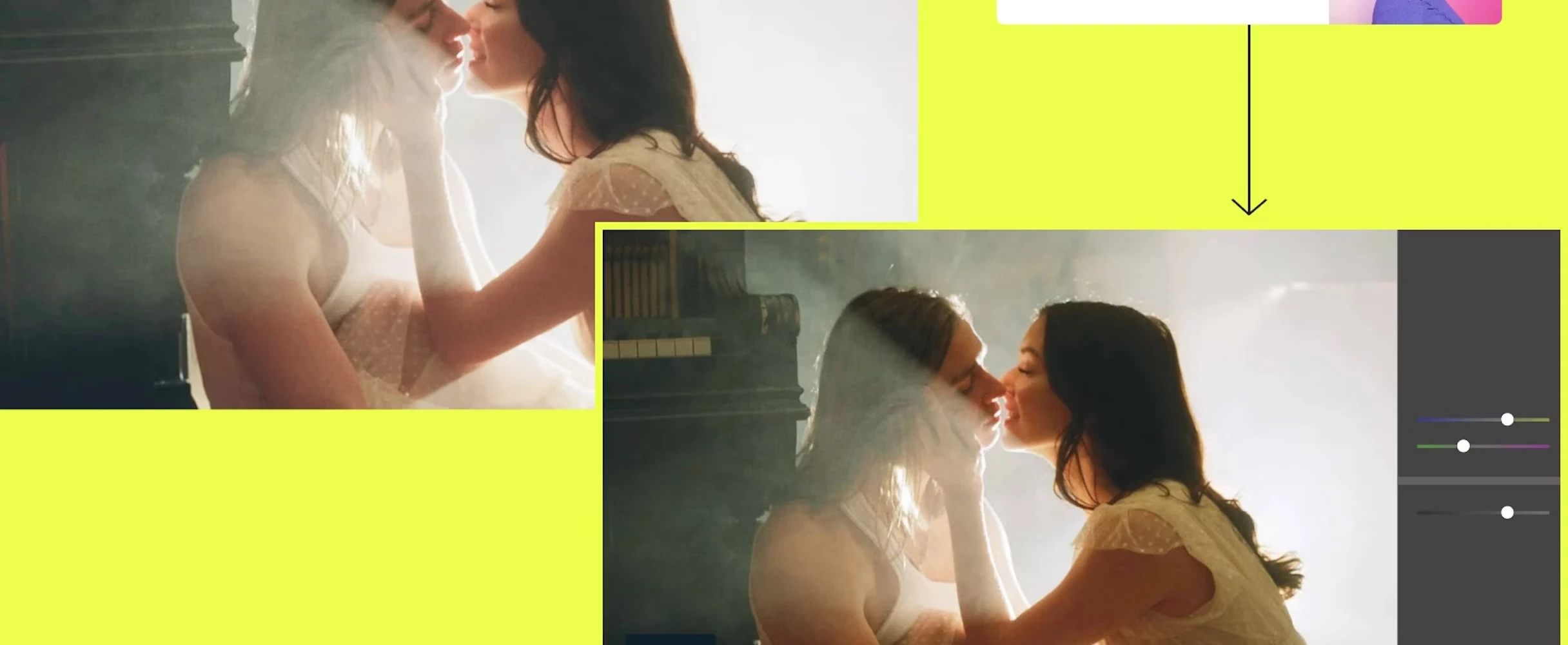
With Narrative's Personal AI Presets, you can pre-edit an entire shoot in minutes, keep your unique look, and integrate perfectly with your existing Lightroom editing workflow.
It involves no AI generation - not a single pixel is synthesized in the process. Also there is no slow cloud upload to slow down your process. Just fast, consistent editing that matches exactly how you like to work.
▶️ Watch the full tutorial on YouTube 👉 Try Narrative free today
Step 1: Create Your Personal AI Preset (Only Once)
Your editing style is what sets you apart, and Narrative Personal AI Presets are built to protect it.
Simply connect your hard drive with Lightroom catalogues you've already edited and then click "Train a new AI Preset". Narrative automatically learns from your Lightroom catalogues, building a Personal AI Preset trained entirely on your past work.
This requires a minimum of 1,500 edited images, but it's a one-time setup. After that, you can edit every job in your exact style before you send your selections to Lightroom.
Step 2: Apply Your Style Instantly
After culling in Narrative Select, just click Ship, choose your AI Preset, and your edits are applied automatically as the images are sent straight into Adobe Lightroom Classic.
No exporting. No cloud syncing delays. No extra steps.
Just one click - and you're ready for final creative adjustments in Lightroom without hours of repetitive editing.
Step 3: Let Your AI Editing Improve With You
Narrative's AI photo editing software gets smarter the more you use it.
Every 250 major tweak you make in Lightroom are fed back into your AI Preset, refining it to match your evolving editing preferences.
This means each gallery gets faster to finish, while keeping perfect consistency in skin tones, lighting, and your signature look.
Keeping a Consistent Look Across an Entire Series
One of the hardest things to do manually - and one of the easiest things to lose - is visual consistency across a series of images. A portrait session of 400 frames, a multi-day wedding, a long-form editorial shoot: every set has its own light, its own variation frame to frame. The job isn't just to make each image look good; it's to make them all feel like they belong together.
Narrative handles this at the point of application. Because your Personal AI Preset is trained on your own catalogue rather than a generic model, the adjustments it applies carry the internal logic of your established style. Exposure relationships, colour temperature decisions, the way you handle shadow recovery - these patterns are already baked in. When a preset built on that foundation is applied across a batch of images from the same shoot, the result is a set that reads as a coherent body of work rather than a collection of individual edits.
For photographers who shoot multi-part projects - think a wedding spanning a morning ceremony, afternoon portraits, and an evening reception in three different lighting environments - this is where the approach earns its keep. Rather than using a reference image and manually re-matching every subsequent frame, you apply your preset across the entire batch and then focus your creative energy on the outliers that genuinely need a considered touch. The repetitive labour falls away; the judgement stays with you.
Style transfer in AI editing works best when the model understands your intent, not just your numbers. Narrative learns the relationship between scenes and your decisions across hundreds of past images, so the consistency it produces isn't mechanical uniformity - it's the kind of tonal and tonal coherence that looks intentional, because it is.
Batch Editing Without Losing Creative Authorship
You can apply one preset to 600 images in Lightroom quickly, but the result will look dull because each image is treated the same, even if they have different content.
Narrative's AI Preset editing is different. Narrative reads each image individually and applies adjustments relative to the scene - the way you would if you were sitting in front of every frame. The consistency comes from your learned preferences, not from a fixed set of slider values. This is important for series work, where the images have the same visual style but different lighting and subject matter. Each frame is edited to fit your style, so no two edits are the same.
For photographers managing large series - commercial campaigns that run across multiple days, portrait sessions that move between indoor and outdoor settings, documentary projects shot over weeks - this kind of intelligent batch processing means you arrive at a consistent gallery without having to treat editing as an assembly line.
You make the creative calls, and let Narrative handle the repetitive ground work that would otherwise take hours of your day.
Step 4: Edit Anywhere - Even Offline
Because Narrative works offline, you can cull and edit from anywhere - whether you're at home, on location, or traveling for a wedding shoot.
And with unlimited culling and editing included, you can handle large events without worrying about extra fees or upload times.
Why Professional Photographers Choose Narrative
This AI Lightroom editing workflow is trusted by wedding, portrait, and commercial photographers who want to:
✅ Save hours on every project ✅ Keep consistent editing across galleries ✅ Avoid burnout from repetitive Lightroom work ✅ Stay in control of every creative decision See the results for yourself, with the full breakdown video here

Try Narrative AI Editing Free Today
The Best Photo Culling Software - Try Narrative Free
Editing and Culling through thousands of photos doesn't need to take hours. Narrative is the best photo culling software for photographers, designed to save you time while keeping full creative control.
Cull thousands of images in minutes with AI trained on your style.
Eliminate the frustration of manual selection while keeping accuracy.
Trusted by thousands of professional wedding and portrait photographers worldwide.
Ready to transform your workflow? 👉 Try Narrative free today and experience faster, smarter photo culling.