Photo Mechanic vs Narrative
Narrative vs Photo Mechanic: Which Is Better for Fast, Intelligent Culling?

Lock in for 12 months and get 30% off! See Pricing
Narrative vs Photo Mechanic: Which Is Better for Fast, Intelligent Culling?
When it comes to choosing the right tool for culling and organizing your photos, speed and simplicity are everything. Photo Mechanic has long been a trusted companion for photojournalists and sports photographers who need raw speed and powerful metadata features.
But if you’re a modern creative or portrait photographer looking to save time without the steep learning curve, Narrative offers a better way.
Photo Mechanic is a photo browser and tagging tool best known for its lightning-fast image previewing and deep metadata support. It’s been widely adopted in fast-paced environments like newsrooms and sports coverage, where rapid turnaround is critical. However, it’s also a product that’s stayed largely the same over the years, with a dated interface and a feature set that can feel overwhelming for most photographers.
Ingest pipeline: From multi-card, simultaneous ingest, to on-the-fly file renaming, automatic backup to a second destination, and IPTC metadata templates applied at import — everything runs in parallel.
Multi-camera time sync: align capture times across multiple camera bodies so images from different cameras sort correctly in chronological order.

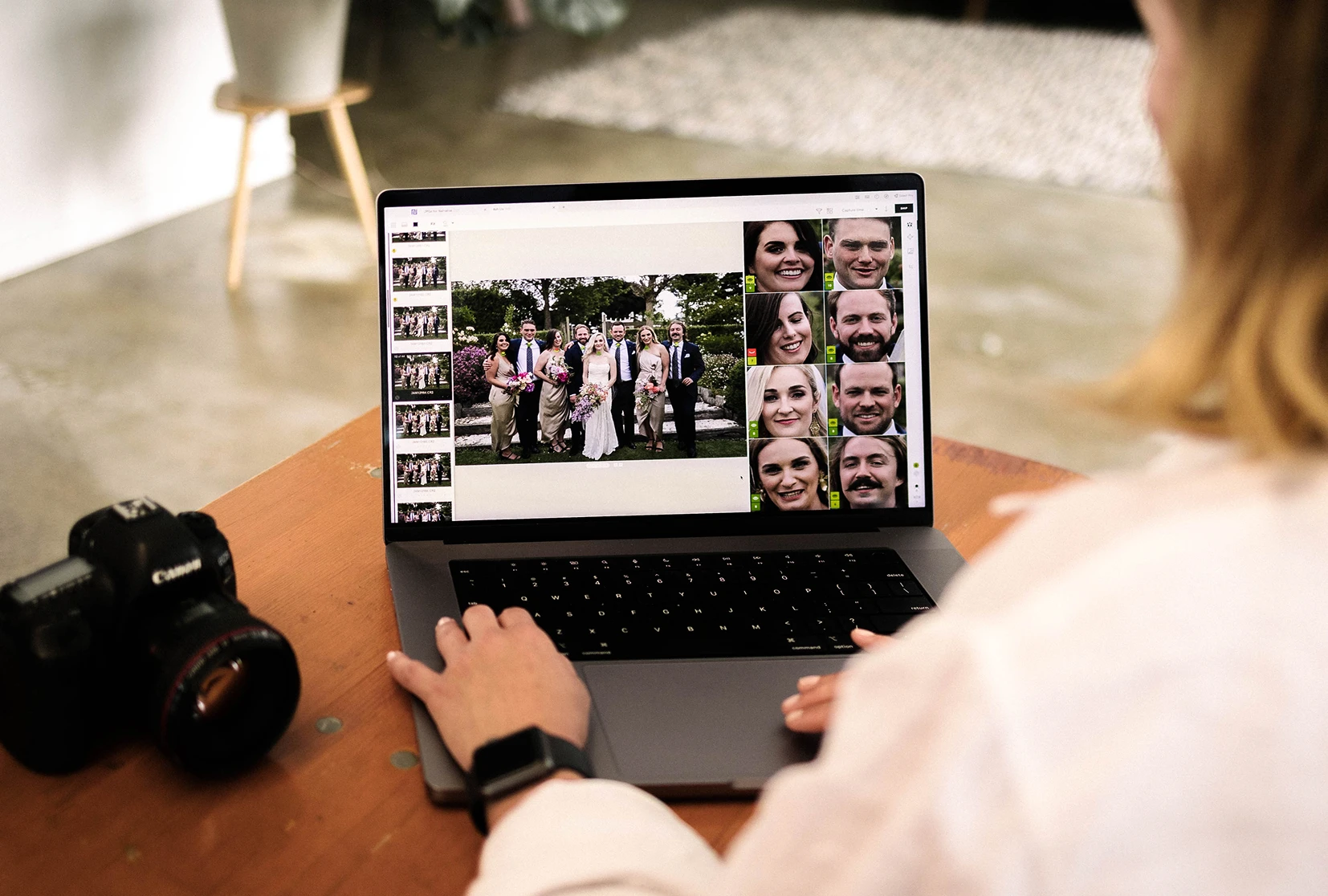
Narrative is an AI-powered photo culling tool built specifically for professional photographers who regularly shoot people-focused, high-volume sessions. It helps you go from thousands of raw shots to a curated selection in minutes, and seamlessly integrates with Lightroom for final editing.
Scenes View: Automatically groups similar images by scene, letting you pinpoint the best shot in seconds.
Close-ups Panel: View every face in an image instantly to make immediate keep-or-reject decisions.
Face Assessments: Accelerate your workflow with contextual scoring and analysis for faster, more accurate culling.
 Narrative
 Photo Mechanic
Best in class. You're in control
Manual
⚡ Instant
⚡ Instant
Advanced
No functionality
Advanced
Resize only
Basic
Advanced
Modern, intuitive
Outdated, takes time to learn
Plans from $10 p/m. Unlimited
$14.99 p/m.
Photo Mechanic may be fast, but it offers no assistance in helping you decide what to keep. Narrative uses AI to intelligently score and surface your best images—based on eyes open, smiles, duplicates, and more—so you can finish culling in minutes, not hours.
With Photo Mechanic, new users often face a steep and unintuitive experience. Narrative is built for simplicity, designed so you can start using it productively from day one.
From UI design to high-res previews and Lightroom integration, Narrative is built for today’s photographers—especially creatives working in weddings, portraits, families, and editorial.
Narrative doesn’t try to do everything—it focuses on doing culling better than anyone else. That means no bloated menus, no complicated metadata workflows, just speed and clarity.
The choice between these tools comes down to what your actual problem is.
Photo Mechanic is a powerful, mature tool that excels at ingest speed, metadata management, and file handling. However, it is a manual tool with an outdated interface that demands investment to master. If your photography focuses on architecture, landscapes, or products, where face-detection tools are less relevant, the manual speed of Photo Mechanic may be a better fit for you.
Narrative is the most complete solution for the specific workflow problems of commercial photographers who shoot people at volume. It is faster to learn, adds genuine AI intelligence to the selection process without removing human judgment, integrates AI editing to extend the value beyond culling, and is priced accessibly across multiple tiers.
For many years, photographers have relied on Photo Mechanic for its specific metadata workflows or tagging capabilities. But when it comes to selecting portrait and lifestyle photos fast and confidently, Narrative clearly outperforms with its smarter automation, cleaner design, and better support for modern cameras and workflows.


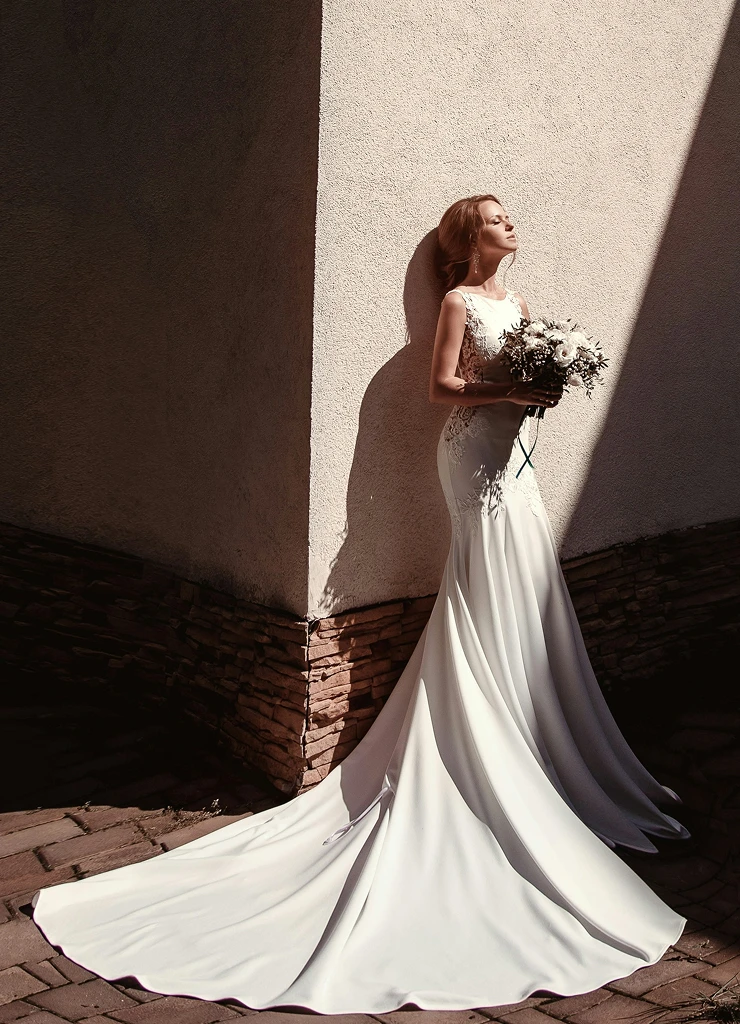



Narrative combines AI-assisted culling and AI editing in one app. Photo Mechanic is excellent at fast ingest and metadata, but it doesn't have AI culling.
Narrative's Face Assessments, Close-Ups Panel and Scenes View cut the time spent checking every frame. When you ship to Lightroom, your selects can arrive already edited with an AI Preset, and on Premium and Ultra with a Personal AI Preset that keeps learning from your corrections.
Narrative has no per-image fees. Lite is $10 a month, Standard $20, Premium $40 and Ultra $60, billed annually ($15, $29, $59 and $79 billed monthly). Standard adds unlimited AI editing with Core and Marketplace AI Presets. Premium and Ultra add Personal AI Presets trained on your own edits.
Photo Mechanic is $14.99 a month or $149 a year, or $299 for a perpetual licence (sales tax or VAT may apply).
It depends on what's slowing you down.
Narrative's Face Assessments, Scenes View and Close-Ups Panel cut down how much you have to check frame by frame, and Narrative handles culling, AI editing and Lightroom handoff in one app. It also ingests from several memory cards at once and can back up to as many as four folders while it copies.
If your work depends on IPTC metadata templates or FTP delivery, Photo Mechanic is still the specialist, and some photographers use both.
Yes. Narrative ships to Lightroom Classic (Mac and Windows) and Lightroom CC with your star ratings, colour labels and tags, plus AI Preset edits if you choose. On Mac it also opens your selects in Capture One, which reads stars and colour labels.
Photo Mechanic hands off to Lightroom and Capture One with ratings and labels, but doesn't edit, so you start from scratch in Lightroom.
Yes. Narrative offers a free trial of its most feature-complete tier, the Ultra plan, with no credit card required. This gives you full access to all AI culling tools, Personal AI Presets, and editing features free of charge.
Photo Mechanic also offers a 30-day trial upon request.
Yes. When you ingest from a memory card, Narrative copies your photos to your working folder and up to four backup folders at once, so you have extra copies before you start culling. You can ingest from several cards at the same time.
Backups include photos only, not video, and they don't update with later ratings or edits. Keep your card until you've checked every folder.