What Is Culling in Photography? A Complete Guide (2026)

Thursday, March 26, 2026
You get home from a shoot with 3,200 RAW files on your card. The session felt good. You're not sure where the keepers are, but they're in there. Before you open Lightroom, you have a decision to make: are you going to edit all 3,200 images, or are you going to find the best 600 first?
That decision is what culling is about. And how you approach it will determine whether post-production takes two hours or two days.
This guide covers what culling actually means, why it matters, the methods professionals use, and what AI has changed — and hasn't — about the process.
Table of contents
What Is Culling in Photography?
Who Needs to Cull Photos?
Why Culling Matters
How to Cull Photos
Common Culling Mistakes
Manual vs. AI-Assisted vs. Fully Automated
Which Photo Culling Software?
Summary
What Is Culling in Photography?
Photo culling is the process of reviewing every image from a shoot and selecting only the strongest ones to edit and deliver — removing duplicates, blurry shots, closed eyes, poor exposures, and near-identical frames before editing begins.
The word comes from agricultural practice. To "cull" a herd means to remove the inferior animals from a group. In photography, the same logic applies: you're filtering a large set down to the work worth keeping.
It sits between capture and editing in the workflow. You don't start culling after editing. You cull first, then edit only what's been selected. That sequencing matters more than most photographers realise, especially as shoot volumes grow.
One important clarification: culling and editing are not the same thing. Culling is selection. Editing is colour grading, retouching, and processing. In photojournalism, the selection process is sometimes called "editing," which creates confusion — but in portrait, wedding, and commercial photography, these are distinct stages.
Who Needs to Cull Photos?
Culling is not just a professional workflow task. Anyone who takes photographs and wants to present a coherent body of work — to clients, to followers, in an album, or on a portfolio — benefits from the practice.
That said, the stakes and volume vary significantly by type of photography:
Photography Type | Typical Shoot Volume | Typical Final Delivery |
Wedding | 2,000–8,000 | 600–900 images |
Events & corporate | 1,000–3,000 | 100–300 images |
Portrait / headshots | 200–800 | 30–60 images |
Sports / photojournalism | 2,000–3,000 | 50–150 images |
Wildlife / nature (burst) | 5,000+ | <5% of total |
Commercial | 200–500 | 20–50 selects |
For hobbyists and amateur photographers, culling doesn't need to be a formal workflow step, but the underlying discipline of selecting before sharing still applies. Posting 40 near-identical sunset photos to Instagram is the same problem at a smaller scale.
Why Culling Matters
Time + Consistency + Delivery
Post-production is the single largest time sink in a high-volume photography workflow. According to Wedissimo's UK Wedding Photography Industry report, a typical wedding involves 10 hours of shooting, 2 hours of culling, and 14 hours of editing — before a single image is delivered. The average final gallery: around 800 images.
That ratio matters. Editing is the heaviest stage, which means every image you eliminate during culling directly reduces the work that follows. The math is simple: tighten the selection and the entire pipeline gets faster.
Worse yet, decision quality drops after two or three hours reviewing near-identical frames. Photographers begin accepting images they would have rejected fresh, resulting in galleries of uneven quality and redundant shots.
Working against defined culling criteria before you sit down removes that drift. The same standard applies at frame 100 and frame 2,800. Clients who rebook based on a previous gallery get work that matches that standard, not a tired version of it.
Adding to this pressure, turnaround speed has also become a competitive variable. If culling a single event takes six hours manually, delivering within a week is structurally difficult regardless of how fast you edit. Reducing that stage changes what you can promise, and what you can charge for getting it done faster.
The compounding effect of culling right is real. Every image you cull before editing is one you don't have to open, adjust, and export. Tighten the selection and the entire pipeline gets faster.
How to Cull Photos
Set your criteria before you start
Culling decisions fall across four axes. Knowing which ones you're prioritising before you sit down makes the process faster and less subjective:
Technical quality: Is the focus where it needs to be? Is the exposure workable? Is there motion blur that wasn't intended?
Composition: Is the subject positioned well? Are there distracting elements in the frame?
Emotional impact: Does this image capture something real? Even a technically imperfect frame can carry a moment worth keeping.
Redundancy: Is this the best version of a shot you already have? If you have eight frames of the same moment, one of them is the keeper.
For high-volume event work, technical quality and redundancy drive most decisions. For portrait work, expression and emotional connection often matter more than technical precision. Establishing your own hierarchy for each type of shoot before you begin keeps the process consistent.
Cull In vs. Cull Out
This is the single most important methodological decision in your culling workflow, and it's worth understanding clearly.
Cull Out is the default approach for most photographers starting out. You scroll through your images looking for the obvious failures — blurry shots, closed eyes, misfires — and flag them as rejects. The problem: you're removing the clear "no" images but still left with a large number of "maybe" images that need a second pass. You end up reviewing more images than necessary.
Cull In is the opposite approach. You start with the assumption that nothing makes the cut, and you actively flag only the images you want to keep. You're looking for yeses, not nos. Because keepers are always a minority of total frames, you make fewer decisions overall and end up with a tighter selection from the start.
Most experienced photographers recommend culling in.
The practical difference: on a 3,000-image wedding shoot, cull out might leave you with 1,800 images after a first pass. Cull in might leave you with 900. The second pass is the harder, more important creative work. Starting it with fewer images saves time and sharpens decisions.
The multi-pass workflow
Most professionals work in two to three passes, not one:
Pass 1 for speed: Move quickly. Flag obvious technical failures. Don't second-guess. The goal here is volume reduction, not curation. This pass should be fast — if you're spending more than a few seconds on any image in this pass, you're making the wrong kind of decisions.
Pass 2 for story: Now you're selecting. Go through your flagged images and pick the keepers. Think about sequencing, coverage, and narrative. Are there moments missing from your selection? Are there redundant frames you can cut? This is the creative pass.
Pass 3 for refinement: Look at what you've selected. Do you have too many from one moment and not enough from another? Are there near-identical images you can trim down to the single strongest frame? This pass is where you edit the story.
A practical note on rating systems: a simple two-tier approach (pick or skip) is faster than a five-star scale for initial culling. Over-complex rating ladders introduce hesitation. Keep the system simple; you can refine ratings in a later pass once the selection is already tight.
Common Culling Mistakes
Editing before culling. Fix the exposure, move on, hit a better version of the same shot ten images later. The time spent on the first frame is wasted. Cull the entire set before opening your editing software.
Keeping images out of emotional attachment. The first time you photograph something — a new venue, a sport you're unfamiliar with, a type of subject — you'll want to keep images because of what they represent to you. Assess the image, not the experience of taking it.
Delivering too many similar images. Giving a client 12 nearly identical frames of the same moment doesn't show abundance — it shows you didn't edit with any rigour. Select the one.
Using Lightroom as your primary culling tool. Lightroom is excellent for editing. It is slow for culling at volume. Dedicated culling tools exist because Lightroom wasn't designed for this stage of the workflow.
Over-trusting automated AI on emotionally complex material. Full automation works well for technically consistent shooting. If your work has variance, build in a review pass after automation — especially for moments that might appear technically compromised but carry the story.
Photo Culling Options for 2026
Manual culling
Tools: Lightroom Classic, Photo Mechanic, Capture One, FastRawViewer
Manual culling gives you complete control, but is extremely repetitive and slow. Photographers who haven't adopted dedicated tools often use Lightroom to cull, which wasn't designed for the job. Preview rendering lags and catalogue size affects performance. On a 3,000-image shoot, those seconds per image compound significantly.
For sports and photojournalism photographers, Photo Mechanic remains the benchmark for speed culling. It reads the JPEG preview embedded in RAW files, which means images load almost instantly, but the culling is done manually.
Manual culling is ideal for photographers whose work involves deliberate technical imperfection. Intentional motion blur, selective focus as an aesthetic choice, documentary-style work where "technically incorrect" frames carry the story.
AI-assisted culling
Tools: Narrative, Excire Foto 2025
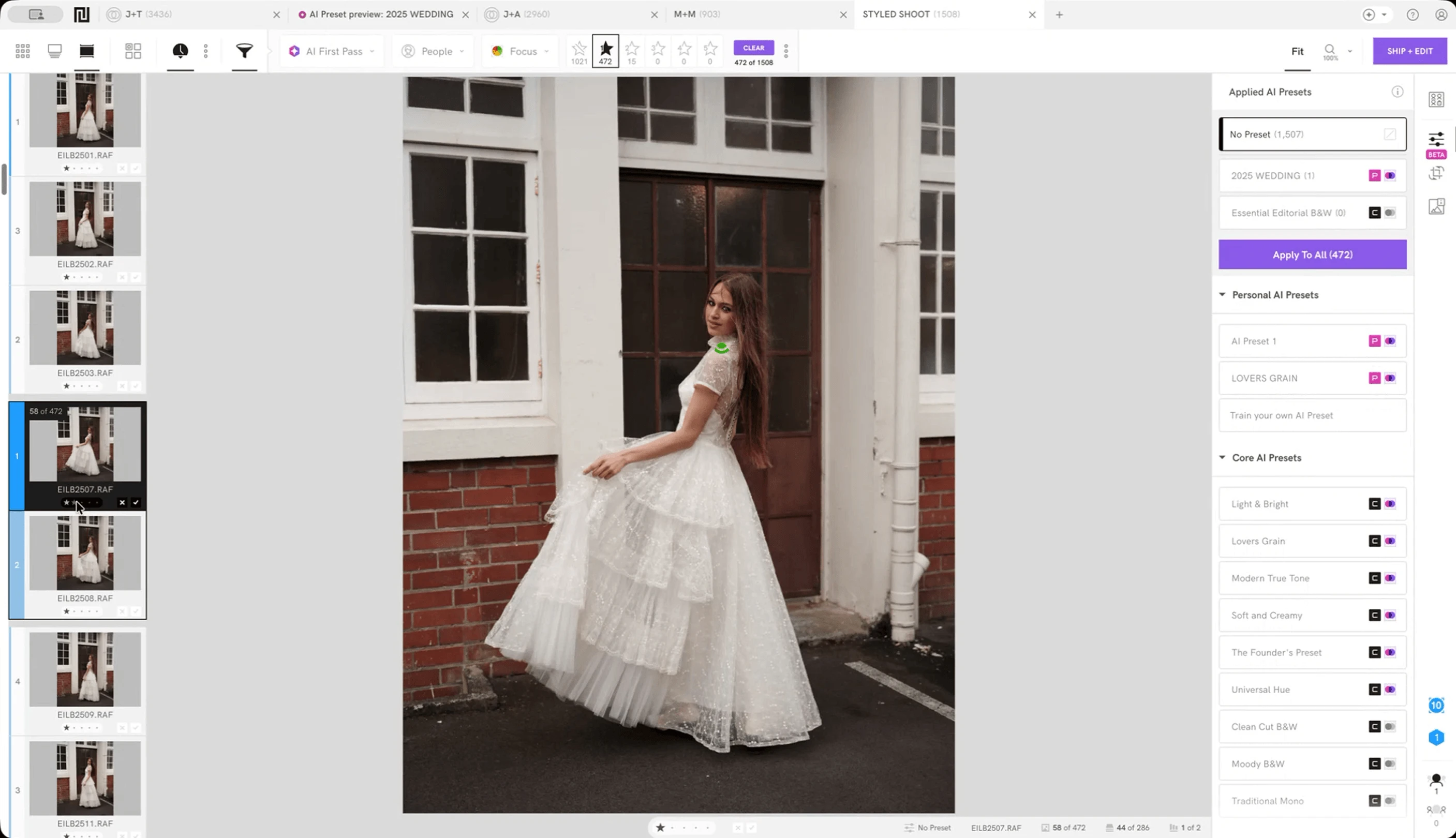
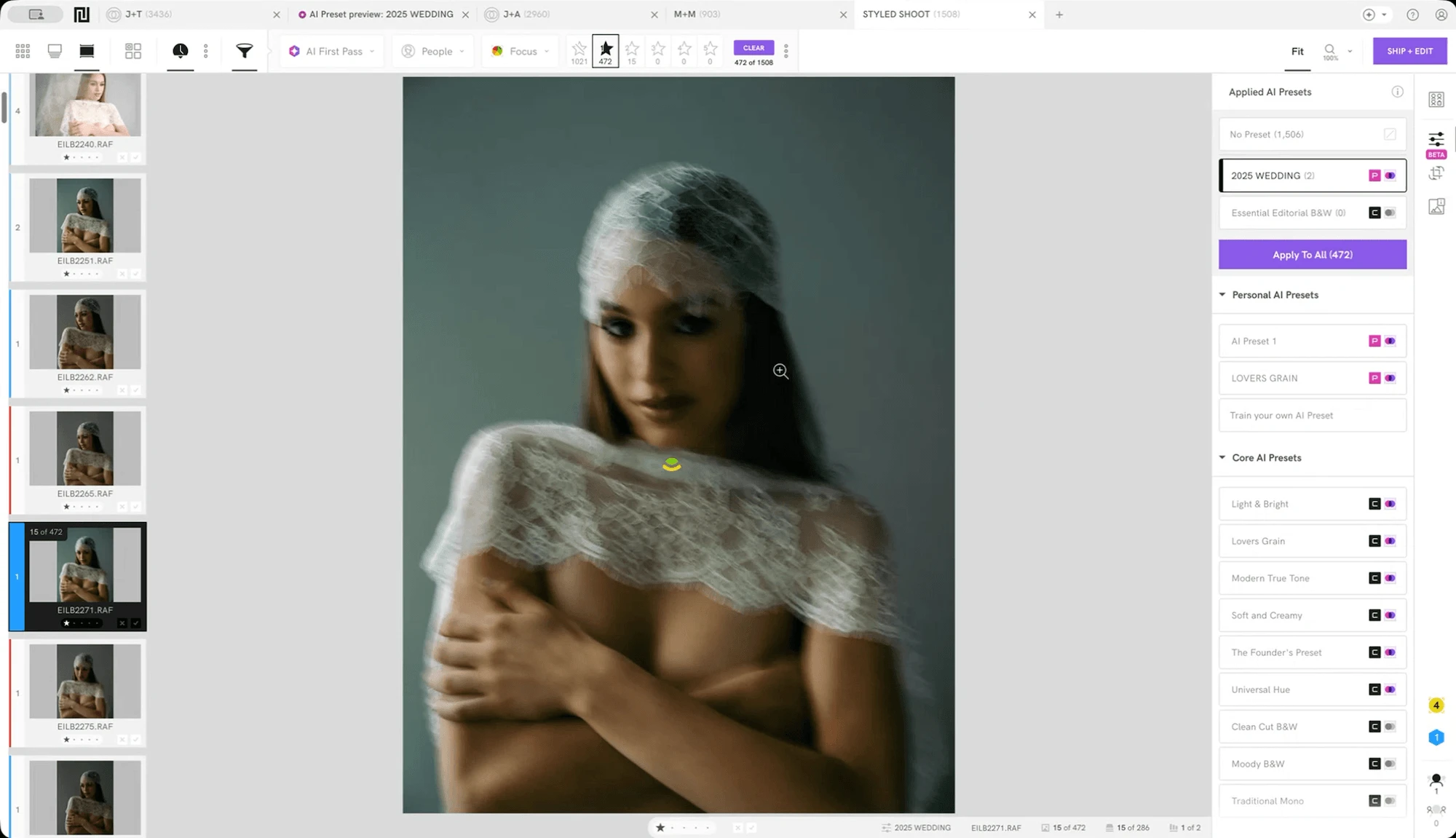
AI-assisted culling keeps the photographer in the decision seat. The AI analyses focus, expression, eye status, and scene similarity and presents that information clearly, but every selection is made by the photographer.
The practical advantage over pure manual culling is that you're making better-informed decisions faster. You're not squinting at thumbnails trying to guess which of six similar frames has the sharpest eyes. The software tells you. You confirm. The creative and editorial judgement stays yours.
AI-assisted culling works especially well for wedding, portrait, and event photographers where technical quality and expression both matter, and where a missed moment — a genuine emotional beat that happens to have slight camera movement — should stay in the gallery despite imperfection.
Fully automated AI culling
Tools: Aftershoot, FilterPixel, Imagen
Full automation handles selection without photographer input. The AI reviews every image and produces a set of picks based on sharpness, exposure, expression detection, and duplicate grouping. The time savings are real. FilterPixel, in independent testing conducted in early 2026, culled 1,000 images in under 3 minutes with 94.7% keeper accuracy on event galleries.
The limitation is also real. Automated tools are trained on technical metrics (e.g. sharpness, eye status, exposure) and struggle with intentional imperfection. Multiple photographers testing Aftershoot reported re-reviewing significant portions of the automated output to catch edge cases, partially negating the time savings.
Full automation works best for high-volume, technically consistent shooting such as studio portraits, corporate headshots, conference events where the brief is coverage rather than story.
The honest verdict
There is no single best approach. The choice depends on your shooting style, volume, and how much variance your work contains. Most experienced photographers working at volume have settled on hybrid workflows: automated or AI-assisted culling for the technical first pass, manual review for the creative and emotional selection.
In fact, the 2025 State of the Photography Industry survey found that 32% of photographers now regularly use AI in their workflows. Of 4,500+ photographers surveyed, only 11% showed negative sentiment toward using AI. The survey also confirms that AI functions as a productivity layer rather than a replacement for artistic decision-making.
AI-assisted culling is becoming an industry baseline rather than a specialist tool.
Which Photo Culling Software Should You Use?
The right tool depends on your workflow type, shoot volume, and how much creative control you want to retain over the final selection. Narrative, Photo Mechanic, Aftershoot, FilterPixel, Excire Foto 2025, and Adobe Lightroom's AI-assisted culling feature each serve meaningfully different use cases. However, the differences in speed, accuracy, and pricing are significant enough that choosing the wrong one costs time rather than saves it.
Narrative offers a full, side-by-side breakdown with tested benchmarks and honest limitations for each tool:
Summary
Photo culling is the gatekeeper step in any photography workflow. Get it wrong — skip it, rush it, or confuse it with editing — and you spend more time in post-production and deliver weaker work. Get it right, and your editing sessions are focused, your galleries are tighter, and your turnaround times are shorter.
The methodological shift that matters most is moving from culling out to culling in, and from reviewing images individually to reviewing them in context as grouped scenes.
AI has made the technical parts of this process genuinely faster. It has not made the editorial and emotional parts easier — those still require a photographer's eye. The tools that acknowledge this distinction, and build workflows around it, are the ones professionals are keeping in their pipeline.
Try Narrative free — no credit card required.
narrative.so/select