AI Photo Culling Software: How It Works (And Why Photographers Are Switching in 2026)

Elli Kim Content
Tuesday, April 14, 2026
It's 2026, and AI photo culling software has shifted from futuristic gimmick to industry standard.
A 2026 VSCO survey found that 83% of photographers now use AI tools — with 68% of working photographers using AI daily or weekly. The biggest driver is post-production: photographers want AI handling the technical grunt work (focus, blinks, duplicates) so they can focus on the decisions that actually require a human eye.
If you're still culling manually, this is your sign to evolve.
Here is how the technology works, what it evaluates, and how to integrate it into your existing workflow without rebuilding anything from scratch.
In this article:
What AI Photo Culling Software Actually Does
How AI Evaluates Your Photos
AI Culling vs. Manual Culling
Will AI Ruin My Creativity?
How to Integrate AI Culling into Your Workflow
The Bottom Line
1. What AI Photo Culling Software Actually Does
At its core, AI culling software is built on computer vision and deep learning. However, the way AI "sees" a photo differs fundamentally from the human perspective. While a human sees a captured moment, AI sees a matrix of data points and calculates the probability of a shot being technically "correct."
When you import a shoot, the AI runs several simultaneous processes:
Object Detection:
Identifies faces, bodies, and key subjects.
Feature Mapping:
Maps facial landmarks to assess whether eyes are open or a smile is genuine versus forced.
Edge Detection:
Calculates pixel contrast to distinguish tack-sharp focus from motion blur.
・・・
2. How AI Evaluates Your Photos
To determine if a photograph belongs in your final gallery, AI filters for objective technical criteria.
Sharpness and Focus:
AI analyzes subject acutance, looking at eyelashes and pupils of the primary subject.Eyes and Expressions:
AI detects blinks and awkward mid-speech mouth positions.Composition and Framing:
AI identifies rule-of-thirds placement and leading lines, recognizing the difference between a centered subject and an artistically offset one.Duplicate Grouping:
If you captured a 10-frame burst of a first kiss, the AI groups them into a "scene," highlighting the strongest frame so you can hide the remaining nine in a single move.
・・・
3. AI Culling vs. Manual Culling
The argument for switching is simple: manual culling is a massive time sink.
Metric | Manual Culling (Lightroom) | AI-Assisted Culling (Narrative) |
RAW Rendering | 1–3 seconds per file | Instant (local rendering) |
Time per 1,000 Images | ~60–90 minutes* | ~10–15 minutes* |
Decision Support | Human intuition only | Focus scores + face assessments |
Fatigue Factor | High | Low |
*Estimates based on user-reported workflows.
Narrative’s data suggests photographers can cut their culling time by half. For a wedding photographer handling 30 events a year, that equates to weeks of reclaimed time—time better spent shooting, building client relationships, or simply logging off.
・・・
4. Will AI Ruin My Creativity?
A common fear is that AI will reject an artistically blurry shot or a grainy, emotional candid that fails technical metrics. This is why Narrative prioritizes an AI-assisted approach over total automation.
Retain Total Creative Authority:
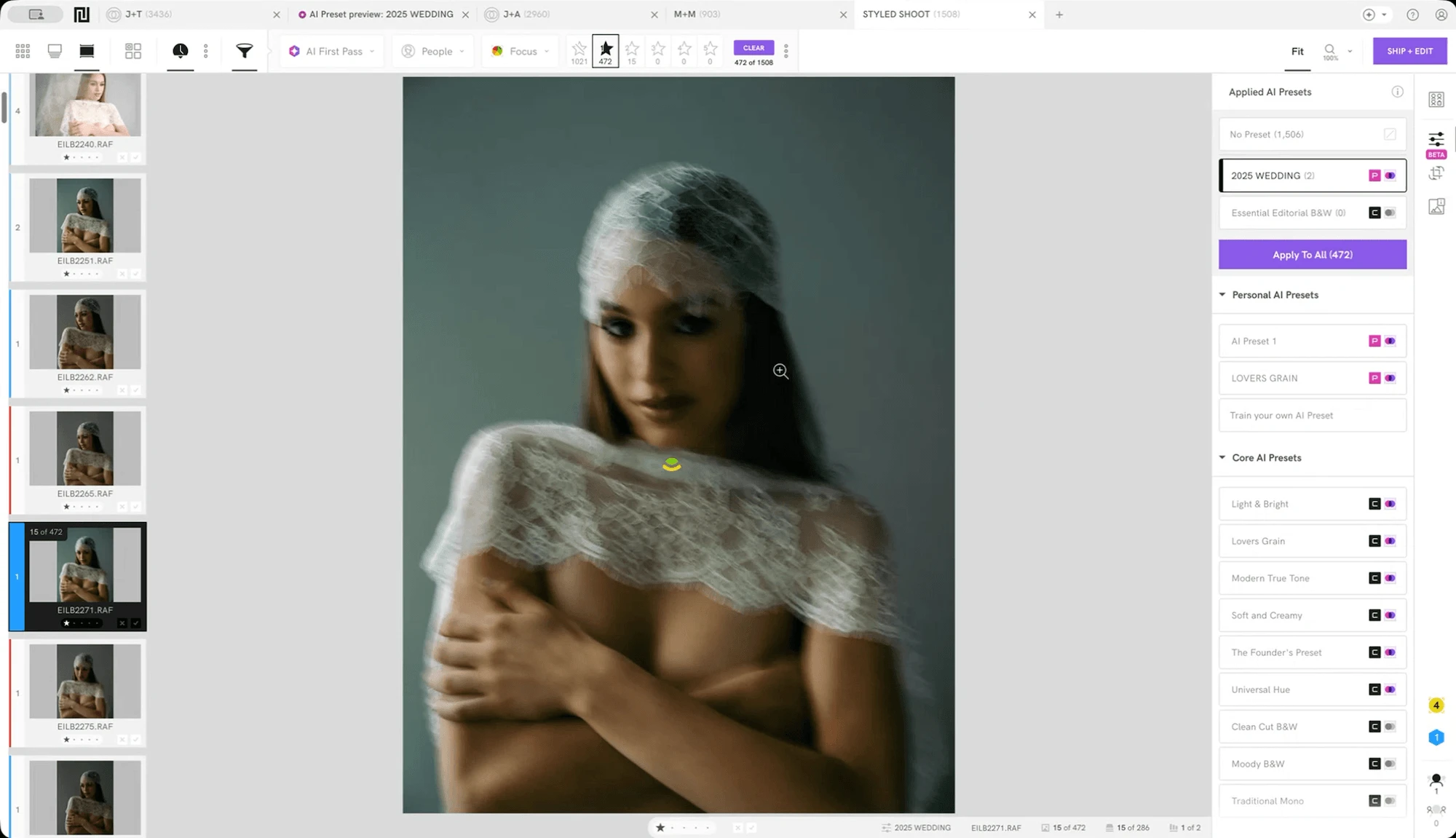
Narrative provides intelligent warnings—a yellow indicator for soft focus or a red one for a confirmed blink—but it never deletes or rejects your work. Every final decision is yours.Protect Your Artistic Intent:
If you used a slow shutter speed for intentional motion blur, the AI might flag it as "low focus." But because the system is assisted rather than automated, you can acknowledge the score, ignore it, and select the frame.Prioritize Storytelling Over Statistics:
AI struggles with context—like how a shot of shoes sets the stage for the bride getting ready. Scenes View solves this by grouping photos by time and location, allowing you to cull for emotional flow rather than just technical scores.
Narrative's unique, human-centric AI approach gives you the speed of automation with the precision of a manual cull.
・・・
5. How to Integrate AI Culling into Your Workflow
Switching to AI doesn't require rebuilding your setup. Narrative acts as a high-speed "pre-filter" that sits right in front of Lightroom.
Ingest:
Move files from your card to your SSD as usual.
Cull in Narrative:
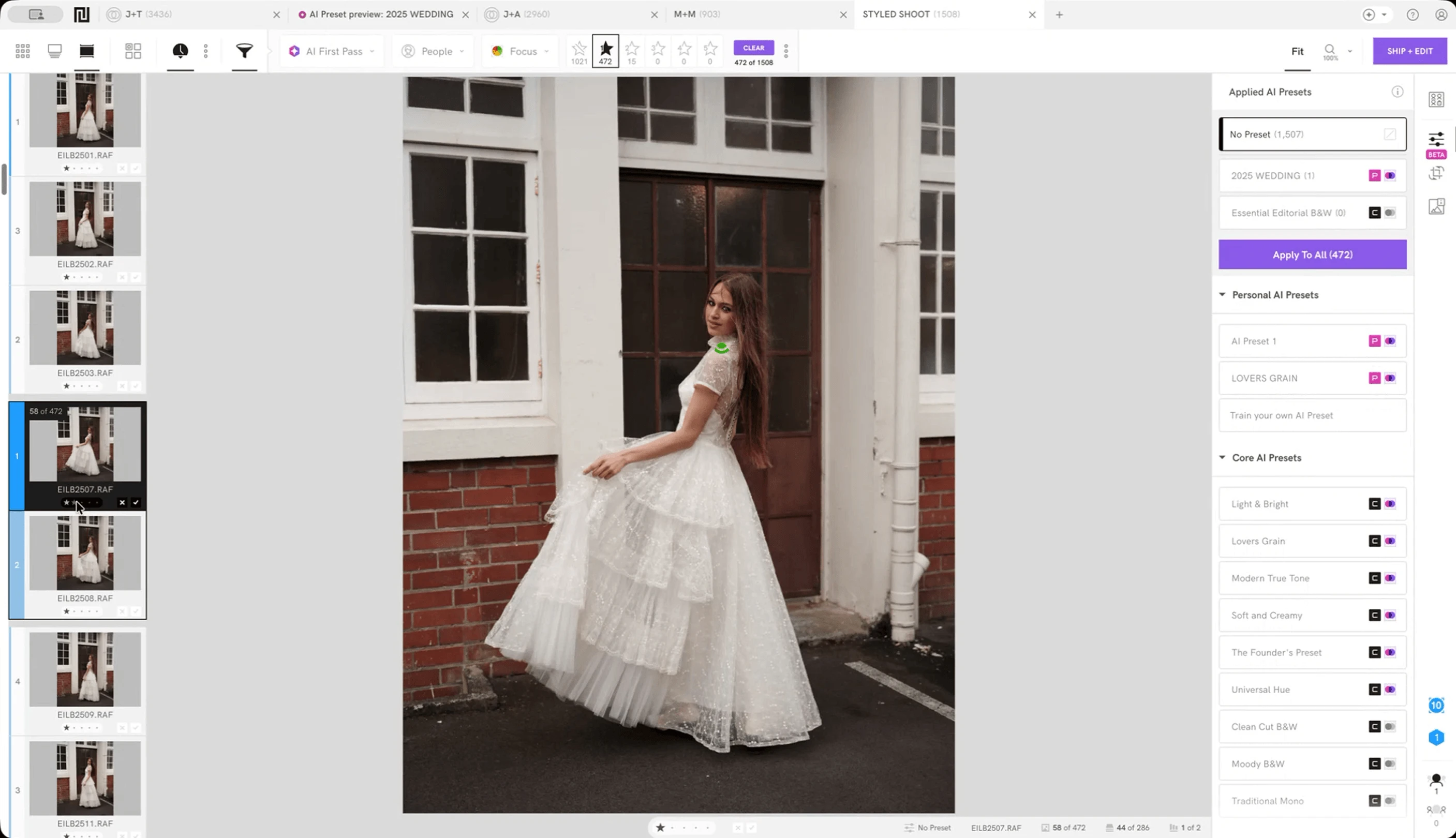
Import the folder to automatically run the AI First Pass. Use the Scenes View and Face Assessments features to quickly review the entire shoot.
Make the call:
Use the Close-ups Panel to verify expressions in group shots, then star or color-label your selects.
Ship to Lightroom:
One click. Your ratings carry over. Apply Personal AI Presets to batch edit in your style as you ship and save even more time.
💜 If you're a visual learner, I recommend heading over to photographer Jeahn Laffitte's YouTube channel. Watch how he culls hundreds of photos in minutes using Narrative.
The Bottom Line
AI doesn't take the art out of photography; it takes the "admin" out of your week. By automating binary technical decisions—Is it sharp? Are their eyes open?—your mental energy is reserved for the choices that actually matter: light, emotion, and story.
Try Narrative for free and experience a workflow without the first-pass grind: Start your free trial
Content