Narrative Review (2026): Is It the Best AI Photo Culling Software?

Elli Kim Content
Wednesday, April 1, 2026
You finish a 10-hour wedding. You plug in the card. The file count reads 3,400. That number is the bottleneck between you and your next booking, your next sleep, your next shoot.
AI photo culling software exists to solve exactly this problem. But not all of it solves it the same way (or as well). After reviewing the major tools in this space, one stands out on the metrics that actually matter for working photographers: Narrative.
This review covers what makes Narrative genuinely different, where it falls short, and whether it's the right fit for how you work.
Table of contents
6 Reasons Why Narrative is the Best AI Photo Culling Software
Instant Previews: Local, Lag-Free, Zero Delay
AI-Assisted, Not AI-Automated: a Deliberate Choice
An Interface Built Around How Photographers Actually Work
Your Images Stay on Your Machine
Culling and Editing in One Step
Pricing: Competitive, Structured for Pros
Who Should Use Narrative vs Who Shouldn't?
Final Verdict
6 Reasons Why Narrative is the Best AI Photo Culling Software
1. Instant Previews: Local, Lag-Free, Zero Delay

The most objectively verifiable difference between Narrative and competing AI photo culling software is how efficiently it handles massive image files.
There is simply no delay. What makes Narrative so remarkably fast is how instantly it extracts and displays the high-quality embedded JPEG thumbnails directly from your RAW files, completely bypassing the cloud. Everything runs locally on your machine the moment you press the arrow key.
This distinction matters more than it sounds.
As explained in our technical breakdown on why traditional Lightroom culling is slow, instantly rendering full-resolution, uncompressed RAW data from scratch is a massive hardware bottleneck. Tools that attempt to fully decode RAW files on the fly or upload them to the cloud introduce unavoidable lag. Narrative eliminates this bottleneck by pairing smart local caching with embedded previews to keep your workflow fluid, even on modest machines.
Independent reviewers consistently confirm this. Preview performance is described as incredibly smooth, with browsing through large image sets feeling instantly responsive. If you're choosing software primarily on workflow feel—the experience of actually moving through 3,000 images without stutters—Narrative sets the standard for speed.
・・・
2. AI-Assisted, Not AI-Automated: a Deliberate Choice

Fully automated photo culling empowers AI to make the final call, not the photographer. That goes against Narrative's philosophy.
With Narrative's AI "assisted" photo culling and editing, YOU are empowered to make decisions — easier and faster. There is absolutely no second-guessing or going back-and-forth to check what the AI might have missed.
Focus Scores, Face Assessments, and First Pass indicators surface the information you need in the moment you need it. The selection remains yours.
This matters in practice. With fully automated tools, you end up reviewing the AI's output rather than the shoot itself. With Narrative, you're culling — just dramatically faster, with better information in front of you.
This approach clarifies who it isn't for. Aftershoot is better suited to photographers who want the AI to handle the entire selection process automatically. Narrative is for those who want their selects to reflect their vision. It's limiting if you don't.
・・・
3. An Interface Built Around How Photographers Actually Work

Most photo culling software is built around images. Narrative is built around shoots.
Three features in particular make this tangible:
Scenes View groups your images chronologically so you cull in story order — ceremony, cocktail hour, reception — rather than working image-by-image with no context for what came before or after. This feature is unique to Narrative.
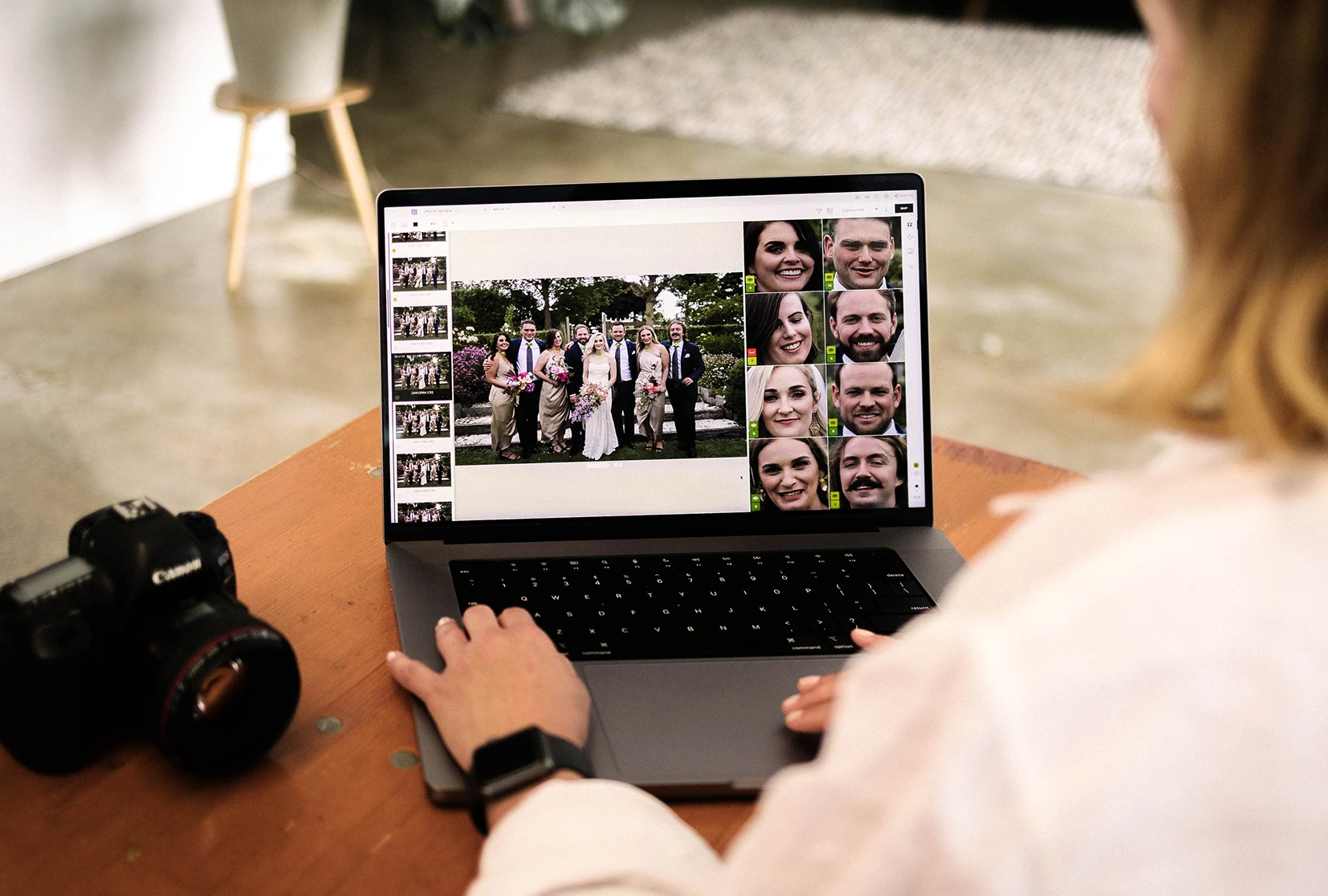
Close-ups Panel solves the most repetitive micro-interaction in culling: zooming in on every face to check expressions. The Close-ups Panel helps spot the best expressions fast, doing this automatically and simultaneously for every person in the frame. In a shoot with 50 people at a table, this is the difference between seconds and minutes per image.
Survey Mode puts near-identical frames side by side so you're making a direct comparison rather than toggling back and forth through memory.
Narrative is the only photo culling tool with Scenes View, Close-ups Panel, and Survey Mode as an integrated culling system.
・・・
4. Your Images Stay on Your Machine

With Narrative, your photos never touch a cloud server. Culling and image assessments are processed on your local GPU.
This is a genuine practical advantage in three scenarios:
photographers working under NDA or shooting private events,
photographers culling in locations with unreliable internet (rural venues, planes, travel), and
photographers who wants to give a credible answer when clients ask where their photos go.
For travel photographers shooting in remote locations or across time zones, the ability to cull on a plane or at a rural venue without any internet dependency is a genuine workflow advantage.
For corporate and event photographers who regularly handle sensitive client material (e.g., conferences, private functions, and executive portraits), this feature eliminates the need for a separate conversation. The images never leave your machine.
FilterPixel and Imagen both require cloud uploads. For those use cases, that's a dealbreaker.
・・・
5. Culling and Editing in One Step

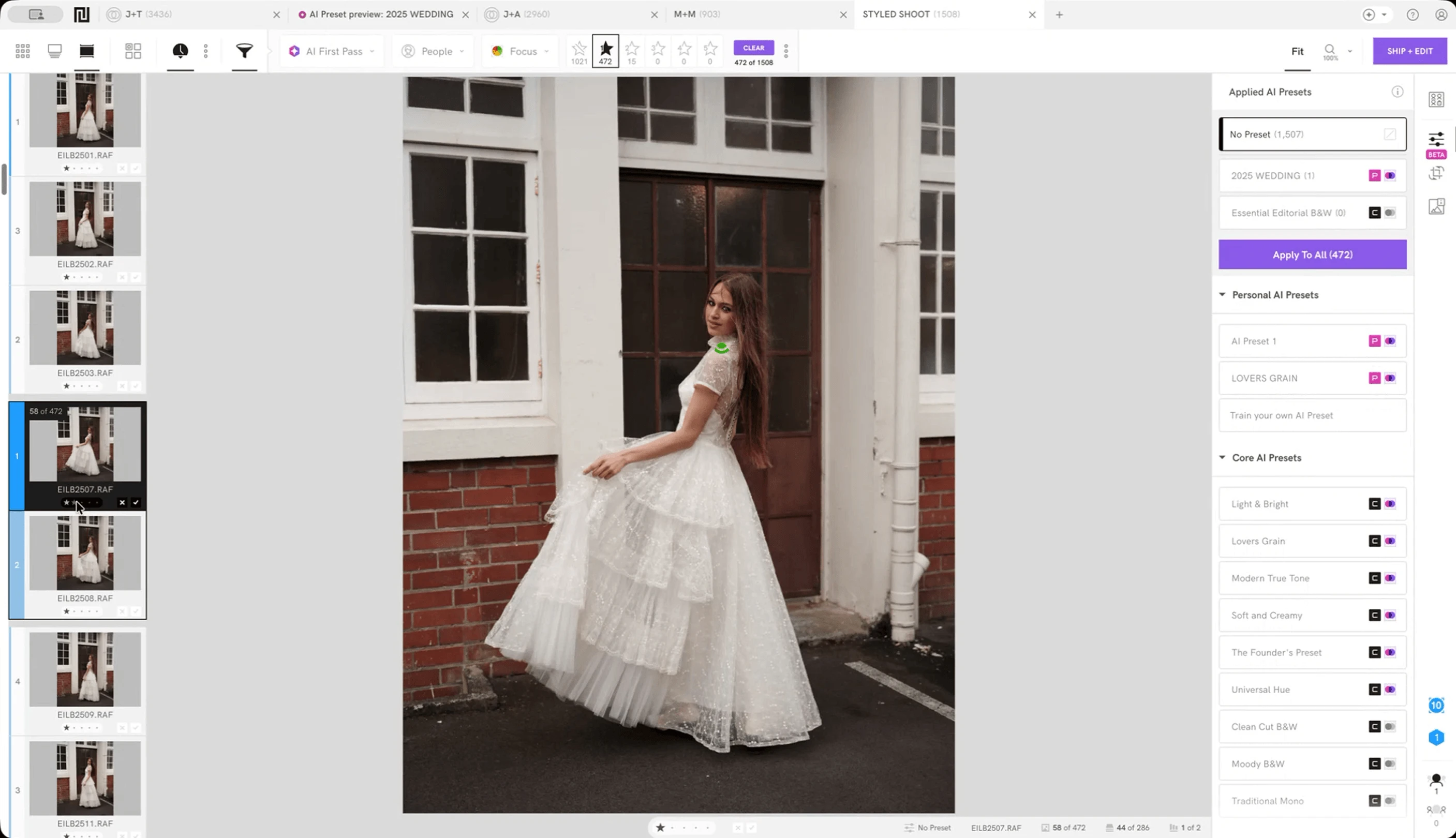
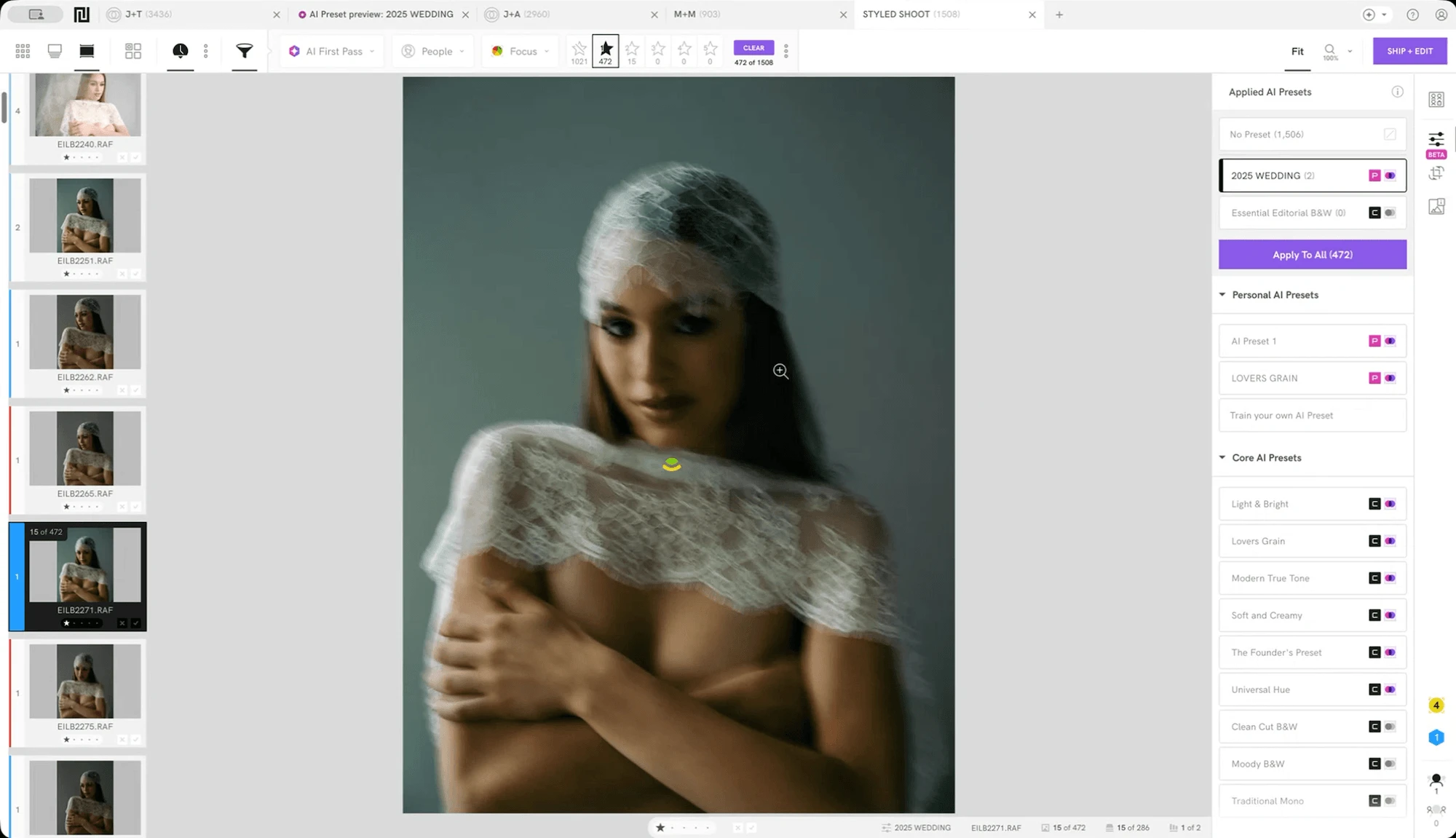
Ask most high-volume photographers where post-production time actually goes, and the answer is rarely just culling. Loading everything into Lightroom and making a gallery feel consistent shot by shot is also where time bleeds out. Narrative simplifies this process with Personal AI Presets.
Apply one or more presets to send your selections to Lightroom with your desired look already applied and calibrated to your white balance and skin tone preferences.
With Narrative, it's easy because training AI on years of your past edits takes literally one click.
No cloud upload. No second application. Keep your workflow seamless.
・・・
6. Pricing: Competitive, Structured for Professionals

You might ask, "Is Narrative the most cost-effective photo culling tool?"
To avoid comparing apples to oranges, let's narrow the comparison down to three AI photo culling tools that operate independently of Lightroom : Narrative, Aftershoot, and FilterPixel.
At the entry level, all three offer basic but unlimited AI culling for one user at the same cost: $10 per month on annual billing.
The real pricing distinction emerges one tier up:
Narrative Standard ($20/month) includes unlimited advanced culling and editing with Core & Marketplace AI Presets
Aftershoot Essentials ($19.99/month) includes unlimited culling and editing with 30+ preset styles
FilterPixel Pro ($16.59/month) includes unlimited culling and editing with 2 custom trainable edit profiles
Narrative and Aftershoot recommend going one tier up, to take advantage of personal presets:
Narrative Premium ($40/month) includes unlimited editing with 1 Personal AI Preset and AI image straightening
Aftershoot Pro ($39.99/month) includes 1 Personal AI Preset, 3 Instant AI Profiles, and AI Crop, Straighten & Masking
Their highest tier shows the real difference:
Narrative Ultra ($60/month) includes 5 Personal AI Presets and allows up to 4 users to share the account
Aftershoot Max ($59.99/month) includes 5 Personal AI Presets and 5 Instant AI Profiles
FilterPixel Studio ($27.99/month) allows up to 5 users to share the account
FilterPixel seems most affordable across all tiers, but with a big catch — it limits the number of DeepCull events per year, which costs $24.99 per extra event. In contrast, Narrative and Aftershoot offer flat-rate unlimited use, which eliminates that overhead entirely.
For high-volume studios, there's a clear advantage to using Narrative Ultra, which allows unlimited advanced culling and editing for up to 4 users, at $60/month. For individuals, it would come down to whether you want full automation (Aftershoot) or full creative control with AI assisted features (Narrative).
・・・
Who Should Use Narrative vs Who Shouldn't?
Narrative performs best for photographers handling high-volume shoots, who want to remain the decision-maker on their selects, value image privacy, and want culling and pre-editing in one streamlined tool. That includes most professional photographers or photography studios, whether they offer services for weddings, portraits, events, travel, street, boudoir, sports, photojournalism, etc.
Narrative is available on both Mac and Windows, so platform is not a limiting factor.
It is less suited to photographers who want full automation without human review, or anyone with very low shoot volumes where a simpler or lower-cost solution may be sufficient.
Final Verdict
Narrative earns its position as a leading AI photo culling software through a combination of factors that no other tool in this category has matched as a complete package:
the fastest local preview rendering speed available,
a philosophy that keeps the photographer in control,
a purpose-built interface that handles faces and scenes intelligently,
local processing that keeps client images private,
an integrated culling-to-editing workflow, and
a pricing structure with no caps or per-image charges at any tier.
It is not the right tool for everyone.
If you want zero-interaction culling at high-volume, Aftershoot is a stronger fit. If you shoot less volume and want more affordability, go with FilterPixel. But if you want your final gallery to actually reflect your selections, Narrative is the strongest option in this category.
Try it out with free trial before committing. No credit card required; just sign up and download.
Content