4 Best Aftershoot Alternatives for Photographers in 2026

Elli Kim Content
Friday, August 14, 2026
The short answer: The best Aftershoot alternatives for photographers in 2026 are Narrative (best for professional photographers shooting weddings, portraits, and events who want the AI to sort but not decide), Imagen AI (best for a fully managed cloud-based culling and editing workflow), Photo Mechanic (best for speed with no AI involved at all), and Lightroom Classic (best if you want to stay inside the Adobe ecosystem). If your specific complaint about Aftershoot is that it flags your intentional shots as misses, Narrative is the most direct replacement.
In this article
Why photographers look for Aftershoot alternatives
The best Aftershoot alternatives in 2026
Quick comparison
Which alternative is right for you?
Why photographers look for Aftershoot alternatives
Aftershoot is a capable AI culling tool. It processes locally, no uploads required, runs on Mac and Windows, and moves through high volumes fast. For photographers who want hands-off automation, it works well enough for a lot of people.
The reasons photographers start looking elsewhere tend to repeat:
The AI leads, the photographer follows. Aftershoot is built to automate selection, not assist it. On G2, the single most common complaint from reviewers is that the software "misjudges artistic shots and flags them incorrectly," which means manual review is still required on exactly the images where a photographer's eye matters most. Photographers on Reddit describe a similar pattern in blunter terms, calling the output a "random photo selector" that cannot tell the difference between a technically imperfect frame and an accidental one.
Trust becomes its own tax. Because the AI's picks are not always right, photographers report re-checking the software's work on every gallery, which erodes a meaningful chunk of the time the automation was supposed to save.
Face assessment depth. Aftershoot evaluates faces for blur and closed eyes but does not offer granular expression feedback or side-by-side comparison across every face in a group shot at once. For a wedding portrait with ten people in frame, that gap adds up fast.
Pricing has gotten more modular, which cuts both ways. Aftershoot recently split into separate Select (culling), Edit, and Retouch products, each purchasable on its own or bundled as Complete. That is more flexible if you only want culling, but it also means the headline price you see is not always the price you end up paying once you add the pieces you actually need.
The best Aftershoot alternatives in 2026
1. Narrative — best for professional photographers shooting weddings, portraits, and events

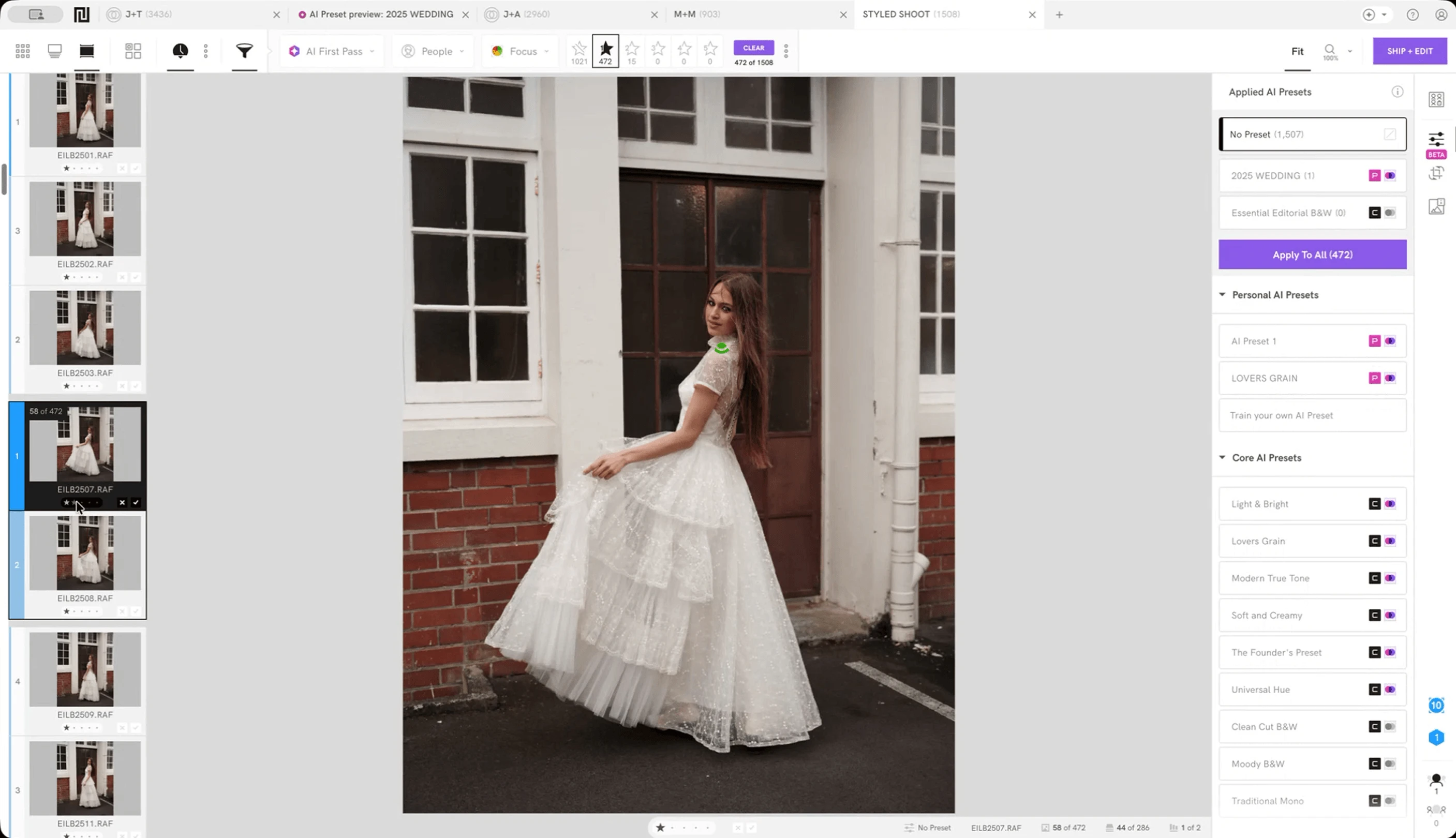
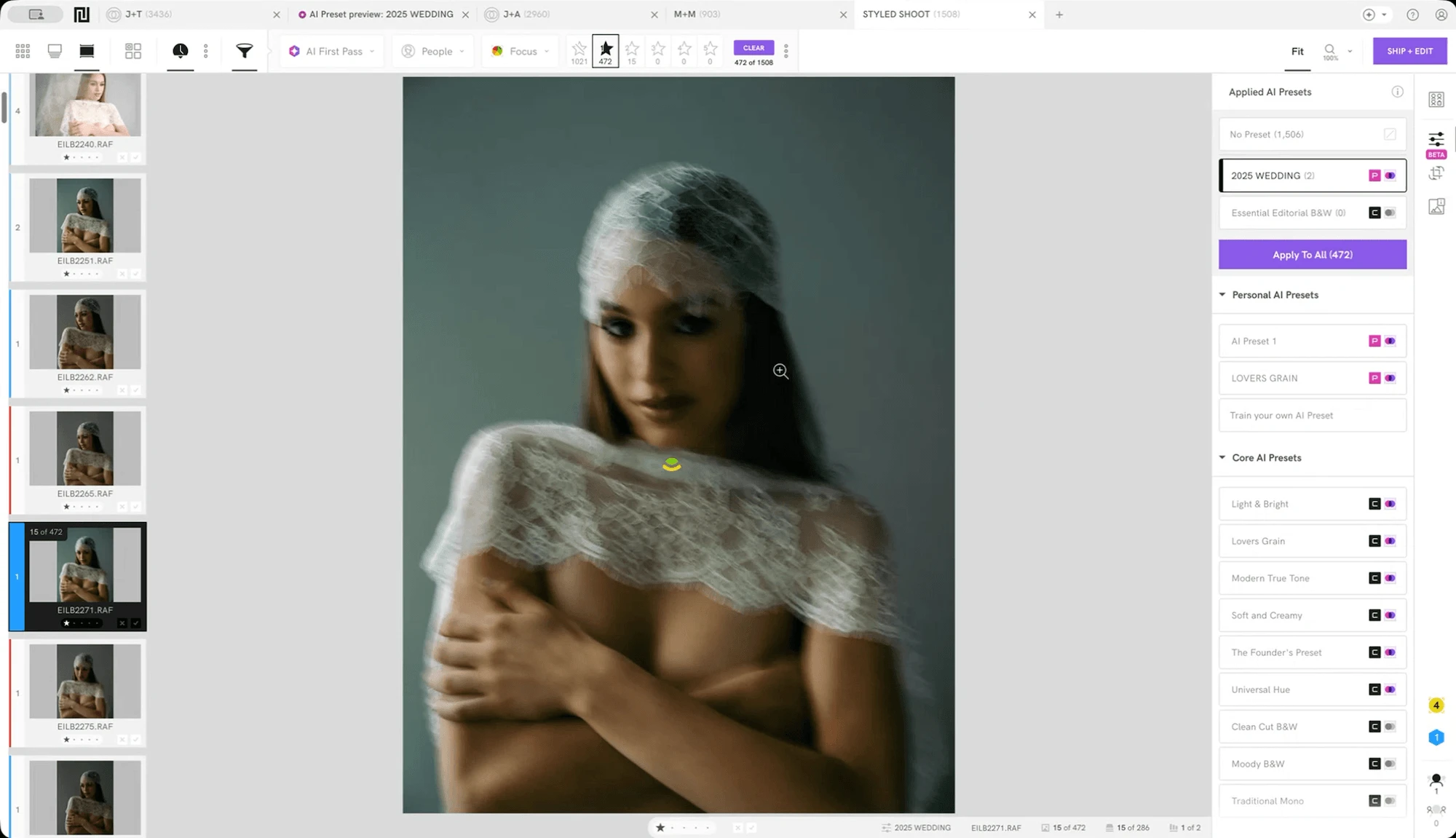
Narrative is built around one idea: the AI does the sorting, the photographer makes the decision. Every image is ranked and assessed, but nothing is hidden and nothing is auto-rejected without you seeing it.
What sets it apart for high-volume wedding and portrait photographers:
Scenes View groups a shoot by scene and ranks each group from Best in Scene down to Undesirable, so you are never deciding between forty nearly identical reception shots all at once. You compare them in context.
Close-Ups Panel zooms into every face in a frame at once, up to 24 faces simultaneously, checking sharpness, expression, and eye state. It also reads context: a closed eye during a first kiss is not treated the same as a blink during a posed family portrait.
First Pass pre-sorts the whole shoot before you start culling, with three settings: Ruthless, Balanced, or Cautious. You choose how much pre-filtering you want, not the software.
Pricing: Lite at $10, Standard $20, Premium $40, Ultra $60 per month on annual subscription. Every plan includes unlimited images, no per-image fees. Full breakdown on the pricing page.
Worth knowing: Narrative runs on both Mac and Windows. RAW files import in about 3 seconds each, with no meaningful lag between images once a shoot is loaded. Across its user base, Narrative reports that photographers save an average of 253 hours a year using the software, and 93 percent say they would recommend it after trying it, figures Narrative publishes and updates on its own site rather than a third-party estimate.
Wedding and elopement photographers Dan and Laura Pinckard, who shoot 4,000 to 5,000 images per wedding, switched after trying several AI culling programs. "Narrative was by far the most user friendly and actually cut down the time it takes to deliver photos," they said, adding that the interface "makes it easy to trust Narrative's decision-making without feeling like I didn't have a say in the process." Read their full story.
Try it: Sign up to start free on the Ultra plan. No credit card required.
2. Imagen AI — best for a fully managed culling-plus-editing workflow

Imagen AI leans further into automation than Aftershoot does, culling to the exact number you want. Also it is primarily an editing software, learning from your Lightroom edits to apply your style during the culling review itself, so you are picking from previews that already look close to final.
Imagen's culling is an add-on to an Imagen editing plan, from $12 a month billed annually. Its Limitless plan, which includes unlimited AI culling with editing and retouching, is $179 a month billed annually.
Worth knowing before you switch: processing is cloud-based, which means a stable internet connection is part of the deal, and even photographers who like Imagen's editing are not always sold on its culling picks. One independent reviewer who praised Imagen's editing accuracy still wrote that he prefers to cull his own images by hand.
3. Photo Mechanic — best for speed without any AI involved

Photo Mechanic is the long-standing industry standard for fast ingest, metadata management, and manual flagging. Photo Mechanic Plus adds a basic culling layer, face detection for grouping rather than AI scoring, while keeping its core strength: the fastest RAW rendering in the category.
If your objection to Aftershoot is the AI layer itself rather than how it is implemented, this is the direct answer. It does less, but what it does, it does with no lag at all.
Pricing: $149 a year or $14.99 a month
Worth knowing: no blur detection, no expression scoring, no face quality evaluation. You see images fast. You still cull by hand.
4. Lightroom Classic — best if you are already in the Adobe ecosystem

Lightroom Classic includes flagging, star ratings, and color labels, a manual system most photographers already know. As of its June 2026 update, Lightroom also ships its own Assisted Culling feature (Face View, automatic stacking of near-duplicates, and exposure and focus filtering), though reception has been mixed and many photographers still find a dedicated tool faster at high volume.
Pricing: the standalone Lightroom plan runs $11.99 a month billed annually. Add Photoshop and the bundled Photography plan is $19.99 a month.
The case for staying: zero added subscription if you already pay for Creative Cloud, zero switching friction. The case against: culling a 3,000-image wedding in Lightroom typically runs 4 to 6 hours, against 1 to 2 hours with a dedicated tool.
Quick comparison
Processing | Best for | Pricing model | AI | |
Narrative | Local, offline (Instant preview) | Wedding, portrait, family, event | Flat monthly from $10 | AI-assisted (context aware) |
Aftershoot | Local, offline (Fast preview) | Volume automation, teams | From $10/month (culling) or $45/month bundle, billed yearly | AI-led (advanced) or assisted |
Imagen AI | Cloud (Post-cull & edit preview) | Culling plus editing together | Culling add-on from $12/month, or $179/month Limitless, billed yearly | AI-led (cull to exact number) |
Photo Mechanic | Local (Instant preview) | Speed-first, no AI | Flat monthly from $14.99 | Manual (no AI) |
Lightroom Classic | Local/hybrid (Slow) | Already-Adobe users | Flat monthly from $11.99 | Manual or AI-assisted (basic) |
Which alternative is right for you?
The best Aftershoot alternative in 2026 depends on what specifically is not working for you.
If you shoot 20 or more weddings a year and your selects are your livelihood, Narrative is the closest match. Scenes View and Close-Ups Panel are built for the volume and complexity of wedding post-production, and the control stays with you. See how Narrative compares to Aftershoot directly.
If you want AI to handle editing as well as culling and cloud processing does not bother you, Imagen AI is the most unified workflow in the category.
If you want the fastest RAW ingest with no AI assessment at all, Photo Mechanic is the answer, and it pairs well with any dedicated editing tool.
If you are not sure yet, start with a real gallery, the kind that has been sitting in your backlog, and see what a tool actually does with your own work rather than a demo set.
If you are weighing more than Aftershoot, our best photo culling software comparison looks at the whole category on price, where images are processed, and Mac support.
Narrative is a dedicated culling software for professional photographers who are serious about their craft. Try Narrative Free or compare all tools.
Content