Wedding Photo Editing: How a Photographer Who's Shot 650+ Weddings Edits Faster

CREW The Narrative Newsletter
Tuesday, August 25, 2026
Shoot enough weddings and the math stops working in your favor. A twelve-hour wedding day can easily produce 8,000 to 12,000 RAW files once you account for burst mode during the ceremony, the reception, and a second shooter covering details you never saw. Cull and edit that manually at even a modest pace, and post-production alone eats a full week, sometimes two, before a single image reaches the couple.
That's the wall Ely Roberts, a Bend, Oregon-based wedding and elopement photographer who's shot weddings since 2007, has spent the last several years pushing against. His target ratio: roughly one hour of editing for every hour spent shooting. Not the two or three hours to one that's typical when culling is done frame-by-frame in Lightroom.
"I have a child and a family, and I need to make money," he says. "When I go shoot a wedding, I want to make sure that post time isn't triple what I shot the wedding at." He's hit that target consistently enough to run up to three weddings in a single week during peak season and still deliver within seven days.
Here's the workflow he uses to get there, using Narrative for culling and editing.
Step 1: Let AI make the first pass on the whole shoot
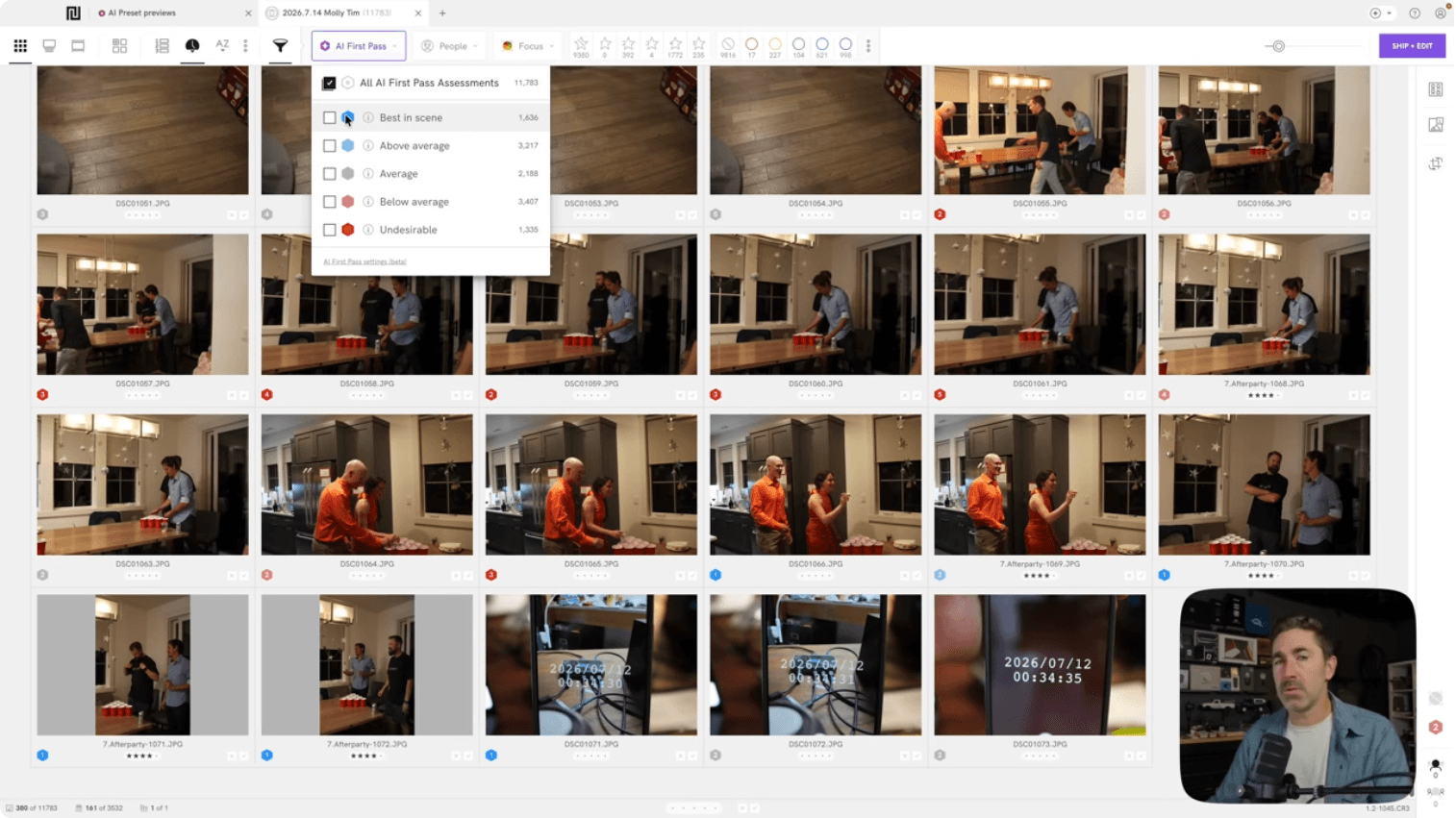
Before touching a single image manually, Ely ingests the full card into Lightroom to catch duplicates, time-syncs his cameras using a phone app, then imports the full shoot into Narrative and runs an AI First Pass. For his last wedding, that meant 11,783 images.
The scan took about 35 minutes. In that window, Narrative assesses every image for focus, eye state (open, closed, blinking), and whether a face is a primary subject in the scene. It doesn't delete or hide anything at this stage. It just labels the shoot so the manual pass that follows has something to work with instead of a blank slate.
For lower-volume sessions, like a one-hour family shoot, this pass is closer to five or ten minutes, and Ely says the assessments are close to fully reliable. Wedding assessments need a human check on top, because so much is happening at once that not every read is accurate.
Step 2: Cull fast and loose on the first pass
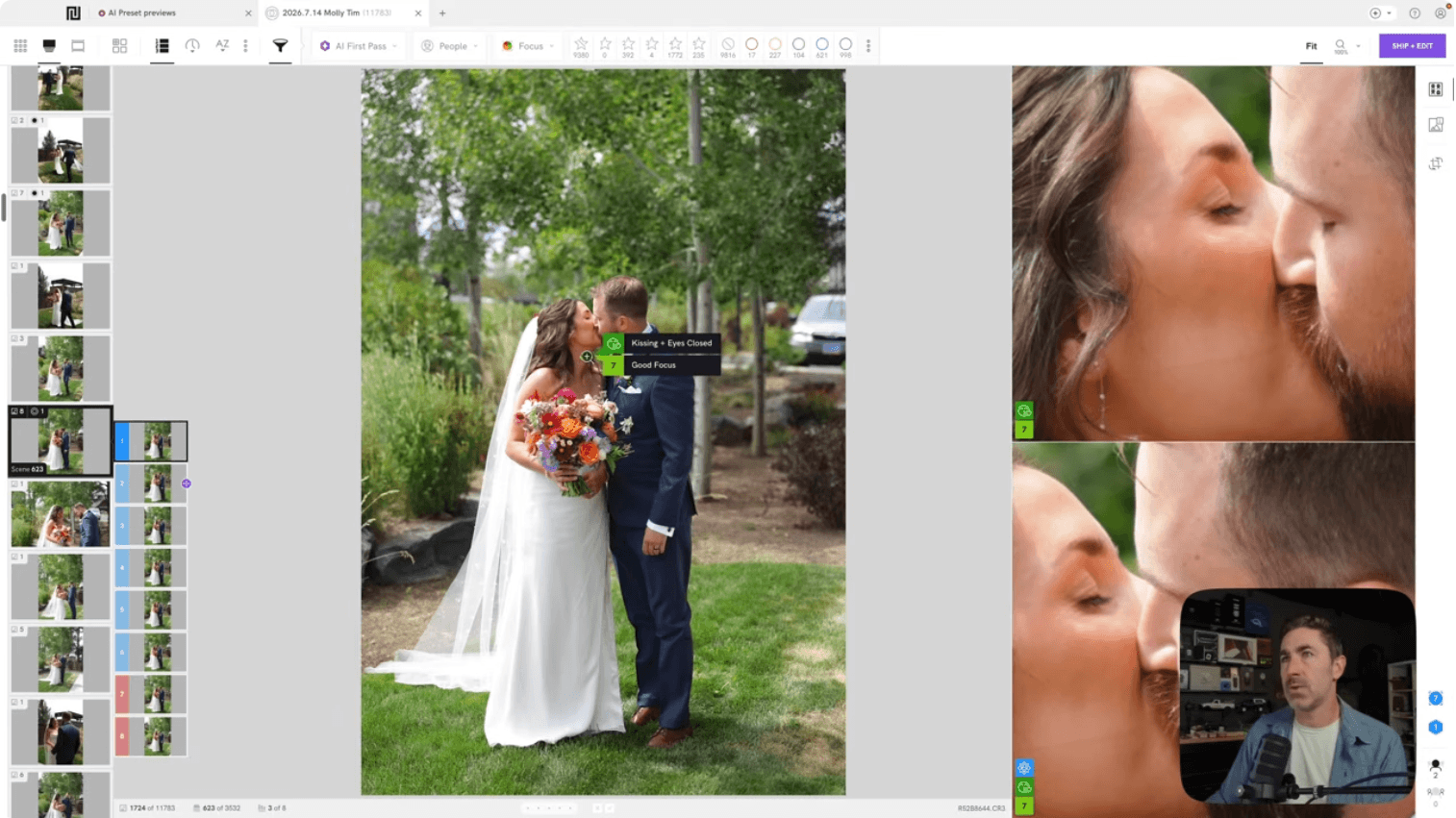
Ely's first manual pass moves backward through the shoot chronologically, at speed. He's not deliberating. He's marking anything worth a second look as a three-star keeper and demoting accidental selects to a reject. "I'm able to do this in maybe three hours if I can focus, two hours if I really lock in," he says.
This pass is deliberately generous. On the wedding referenced above, it left him with around 2,400 images out of 11,783, roughly a fifth of the shoot, and more than he'd actually deliver. That's fine. The goal of pass one is speed, not precision.
Step 3: Cull tight on the second pass, using Scene View
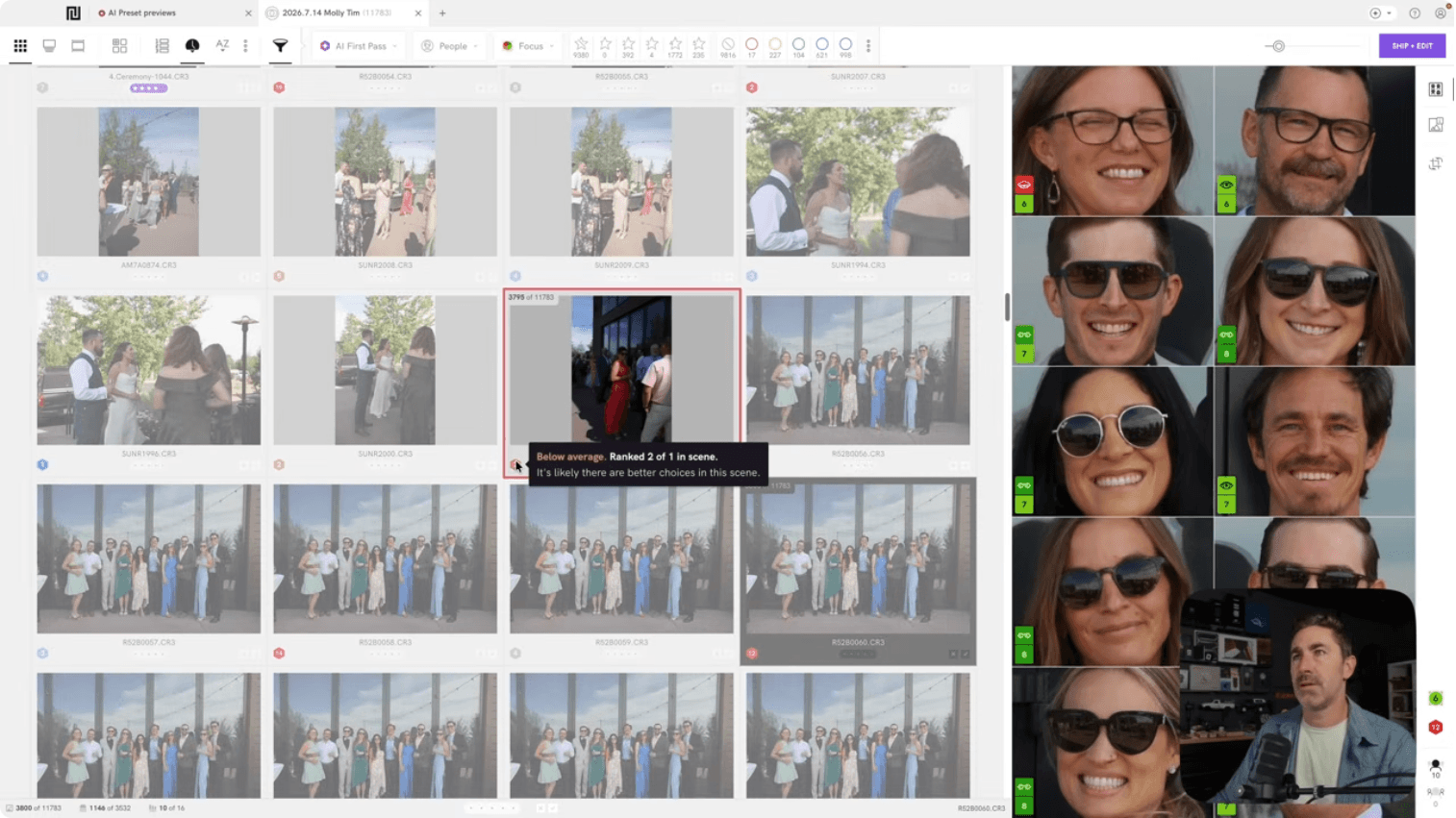
The second pass is where the real edit happens. Ely switches to Scenes View, which groups near-identical frames from the same moment (the same kiss, the same toast, the same burst of a couple walking) and ranks them by sharpness so the strongest frame in each cluster surfaces first.
Instead of reviewing 2,400 images one by one, he's comparing a handful of variants per moment and picking one. On this wedding, that pass brought the final count down to roughly 2,000 images, the number that actually shipped to Lightroom.
The Close-Ups Panel does the heavy lifting on group photos specifically, surfacing every face in a crowd shot at once so a closed-eye or a mid-blink doesn't slip through in a photo with twenty people in it.
Step 4: Edit wedding photos with a preset trained on your own work
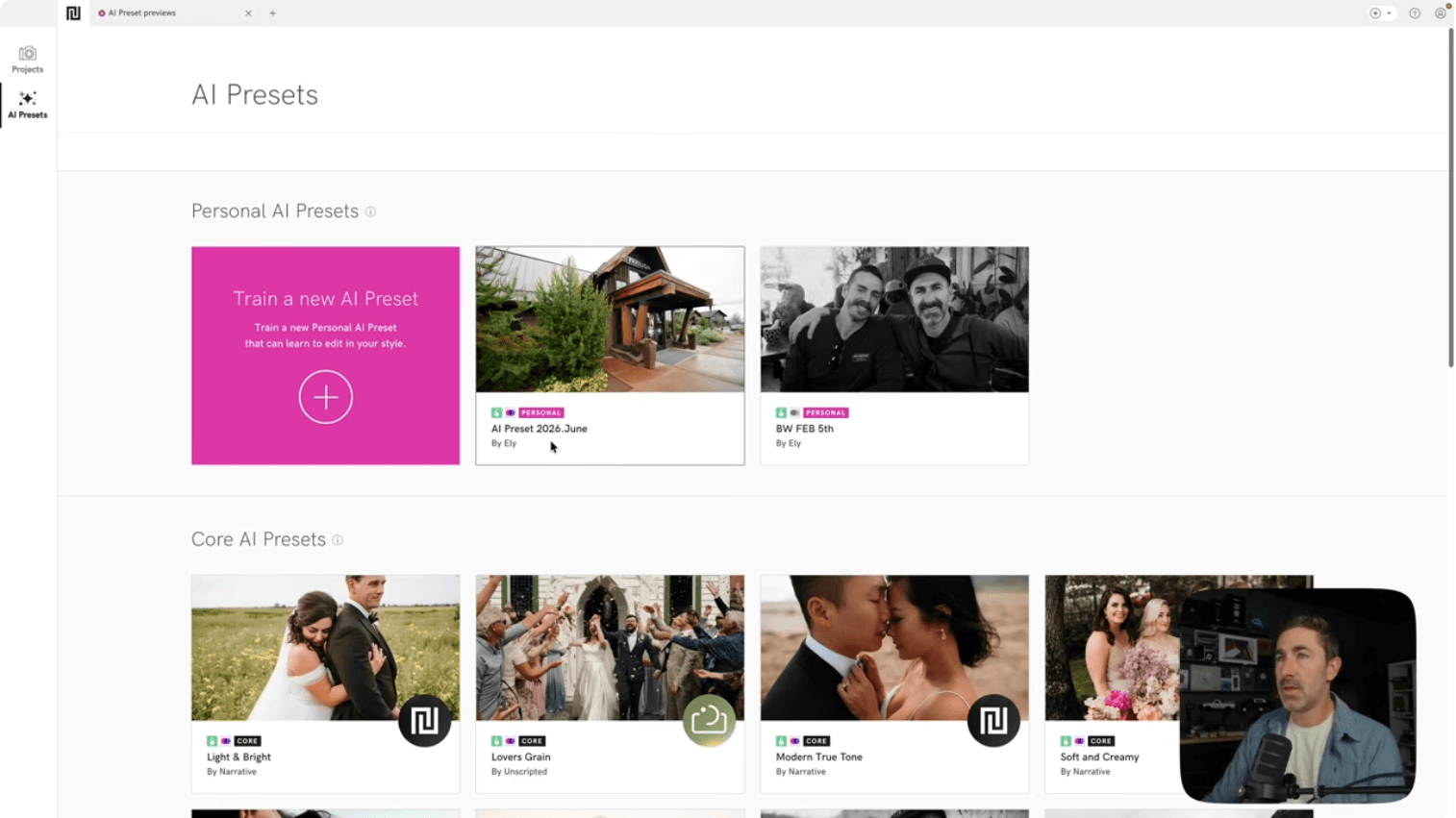
Culling only solves half the turnaround problem. The other half is editing, and Ely's approach there is a Personal AI Preset, built by pointing Narrative at his own existing Lightroom catalog rather than buying someone else's look. This feature requires a Premium or Ultra plan and needs a minimum of 1,500 previously edited images to train on.
"A lot of my clients and planners say they like my preset because it shows natural colors," he says. His look leans toward a film-inspired base with clean, accurate color, not a heavy filter. He shoots wide open, mostly f/1.4 to f/2.0, stopping down only for large group photos where depth of field matters more than background blur.
For photographers who haven't built up 1,500 edited images yet, Narrative's AI Preset Marketplace offers ready-made styles from other working photographers as a starting point.
Step 5: Ship to Lightroom and finish the final 10% yourself
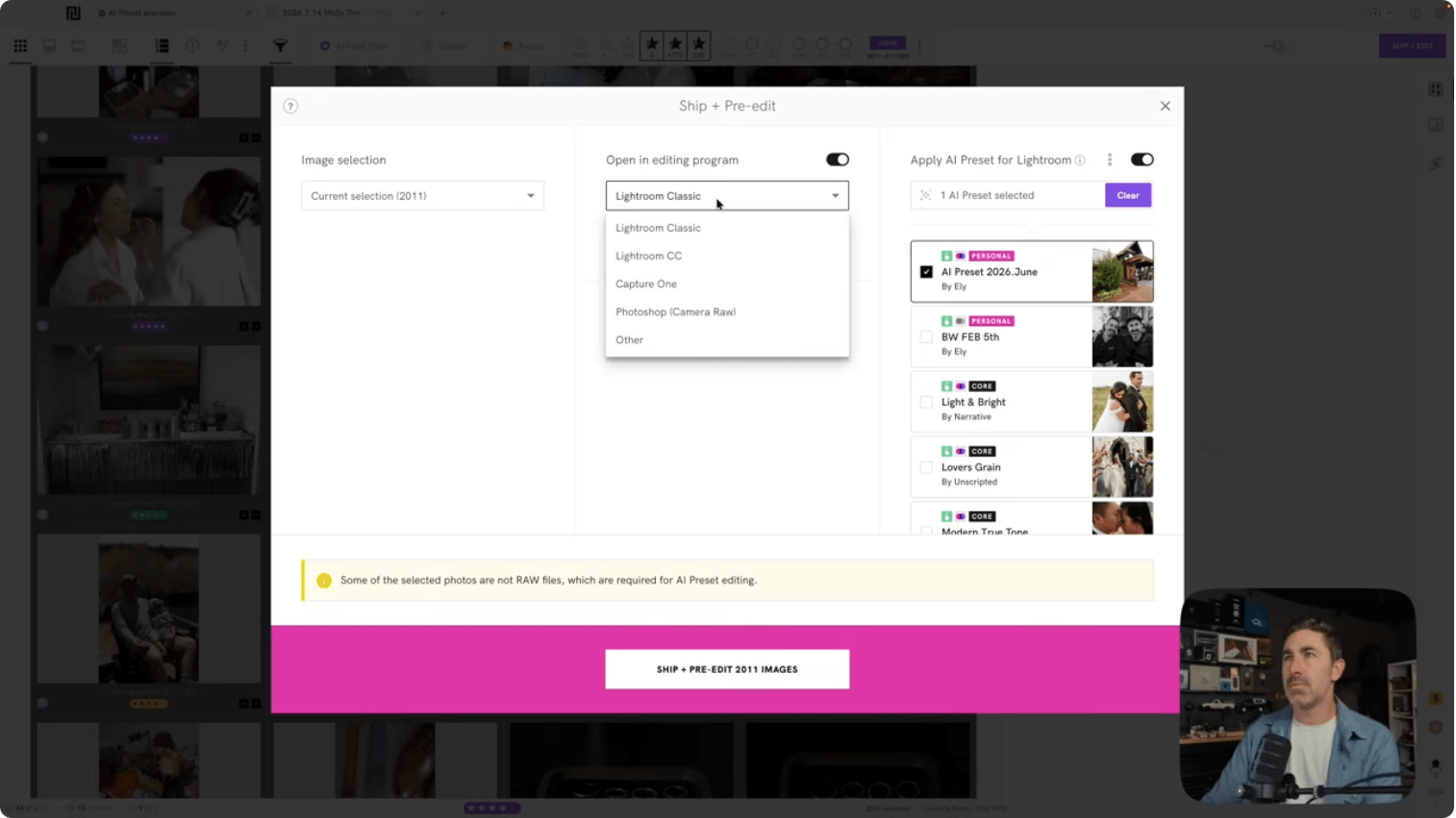
Once his selects are culled and the preset applied, a single Ship action sends everything, pre-edited, to Lightroom Classic for final review. This is not a fully automated handoff. Ely still goes through the delivered set, adjusts anything that needs a human eye, and organizes the gallery into a strict chronological order (venue, bride, groom, first look, family, ceremony, portraits, reception, after-party) so a couple can scroll through their wedding in the order they lived it.
Why this workflow runs on flights, not just at a desk
The detail that makes this schedule realistic is that none of it requires an internet connection. Ely has tried Imagen AI and Aftershoot, both of which he describes as solid tools, but says the ability to cull and edit fully offline is what's kept him on Narrative since 2021. "There are some tools where if I don't have internet, I just can't use them," he says. "I've culled on airplanes multiple times."
For a photographer trying to clear one wedding's worth of files before shooting the next one a week later, that dead time on a flight home is where a meaningful chunk of the turnaround actually happens.
Turning a twelve-hour wedding day into a two-day edit isn't about working faster in the moment. It's about removing the parts of the process that don't need a human decision, so the hours you do spend are the ones that matter.
💜 Ready to try the workflow yourself? Start a free trial of Narrative today.
👀 Watch Ely Roberts walk through this workflow in full: Fastest Way to Edit Wedding Photos
The Narrative Newsletter